English
English
AI customer service for primary care clinics, polyclinics and doctors' practices: an AI agent answers patients on WhatsApp any time, books the doctor's schedule in chat, sends reminders, and passes every complaint to the doctor. The AI never gives medical advice.
AI customer service for clinics, often called a clinic AI agent or automated clinic customer service, answers patients on WhatsApp, Instagram, Messenger and web chat whenever they ask, from your own schedule and list of services, then books the doctor's schedule right in the chat. For symptoms, medicine or dosage, the AI doesn't guess: the chat goes straight to your doctor or nurse.
It's 06:30, and a father messages the clinic on WhatsApp: "What time is the GP in today? Do you take BPJS?" The receptionist arrives at eight. By then he's queuing at another clinic. We think a question whose answer is already on the clinic's notice board shouldn't wait for anyone.
One thing we don't negotiate on: the AI doesn't give medical advice. No diagnosis, no medicine, no dosage. This page shows how KIRA hands all of that to your doctor.
The business on this page is invented, not a customer story: Klinik Pratama Sehati, a GP clinic in Depok with one doctor's schedule open for bookings, vaccinations and health certificates.
| Your clinic | Start with |
|---|---|
| Primary care clinic, polyclinic, GP or specialist practice | This page |
| Dental clinic | Dental clinics, with a patient in pain after a procedure |
| Aesthetic and beauty clinic | Aesthetic clinics, for Instagram DMs and doctor's consultations |
| Physiotherapy, lab, a clinic with many departments | This page. Remember that one schedule takes one booking at a time, so booking from chat fits one service best, and the AI still answers questions about the other departments |
| Time | Channel | What they ask |
|---|---|---|
| 06:30 | "What time is the GP in today?" | |
| 08:15 | "Do you take BPJS? This is my registered clinic." | |
| 11:00 | Instagram DM | "How much is the adult flu vaccine?" |
| 14:00 | Web chat | "I need a health certificate for work. What do I bring?" |
| 19:30 | "Can I see the doctor at nine tomorrow morning?" | |
| 22:00 | "My child has a 39 degree fever. What can she take?" |
| Question | The AI answers from | The card that fits | What happens |
|---|---|---|---|
| Practice hours, which doctor is in | The practice schedule in Sources | None needed | The AI answers exactly from the schedule you wrote |
| BPJS, insurance, how to pay | A payments FAQ | None needed | The AI answers with your clinic's policy, promising nothing you didn't write |
| Consultation, vaccine and certificate fees | A price table in Sources | None needed | Prices are quoted exactly; one you didn't write never reaches a patient |
| Requirements and preparation | A services FAQ | None needed | The AI passes on the preparation notes you already give patients |
| Open times | The clinic calendar | Booking slots as buttons | The booking lands in Calendar, one reminder goes out |
| Fever, pain, breathlessness, any complaint | Not answered | None needed | The AI doesn't guess, and the chat goes straight to your team |
| Medicine, dosage, "do I need a doctor?" | Your Instructions | None needed | The AI declines to guess, and the chat goes to the doctor |
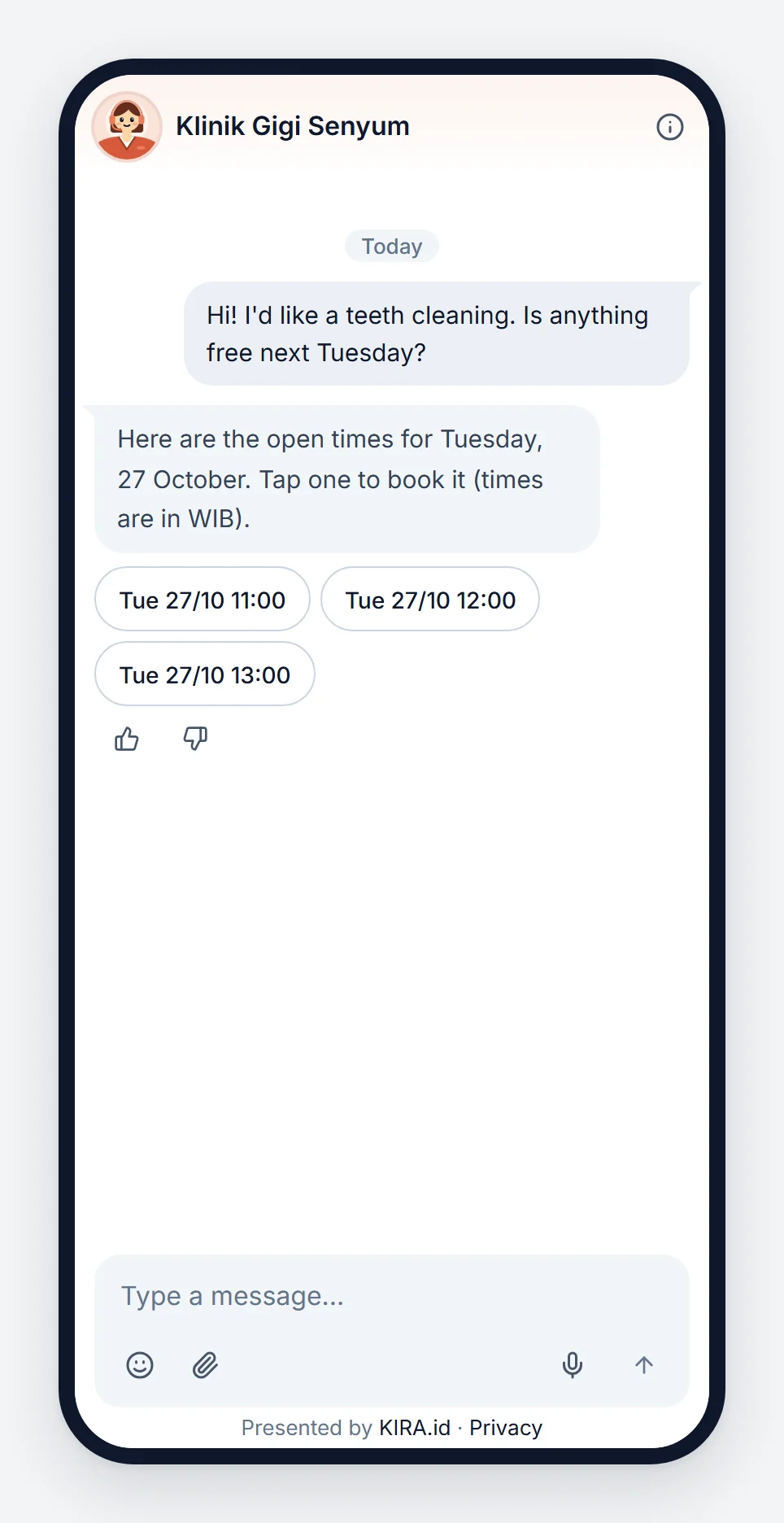
The dates, times and confirmation are written by the system from the clinic's schedule, never made up by the AI. See AI booking in chat.
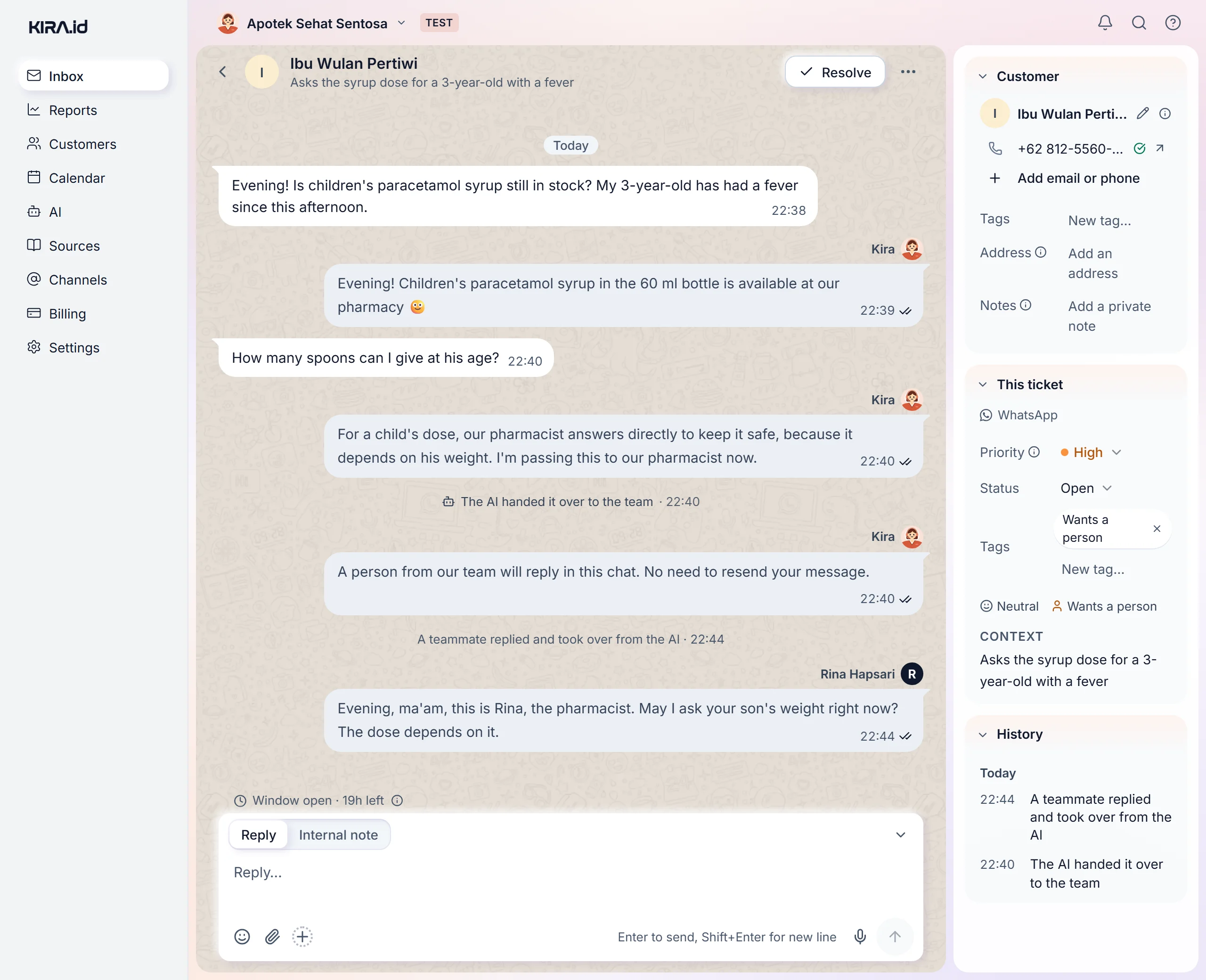
When a patient mentions a complaint, the AI doesn't guess a medicine or a cause. Its reply closes by saying it will check first, the chat goes straight to your team, and the patient is told the reply will come in the same chat. If someone is in danger right now, breathlessness for example, the reply opens by pointing them to emergency services or the nearest ER, then the chat goes to your team. On the ticket, a Handed to the team line says why. The doctor or nurse replies from the same ticket, with the chat history already there. See Why the AI closed or handed off a chat.
Before it's sent, every time, date, price and number in an AI reply is also checked against your sources. See When the AI can't answer.
Never give medical advice: no diagnosis, medicine, dosage or judgement of a complaint.
For questions about medicine, fever, pain or any complaint, say our doctor needs to assess it, then offer to connect them to the clinic team.
For a child patient, ask the child's age before offering a time.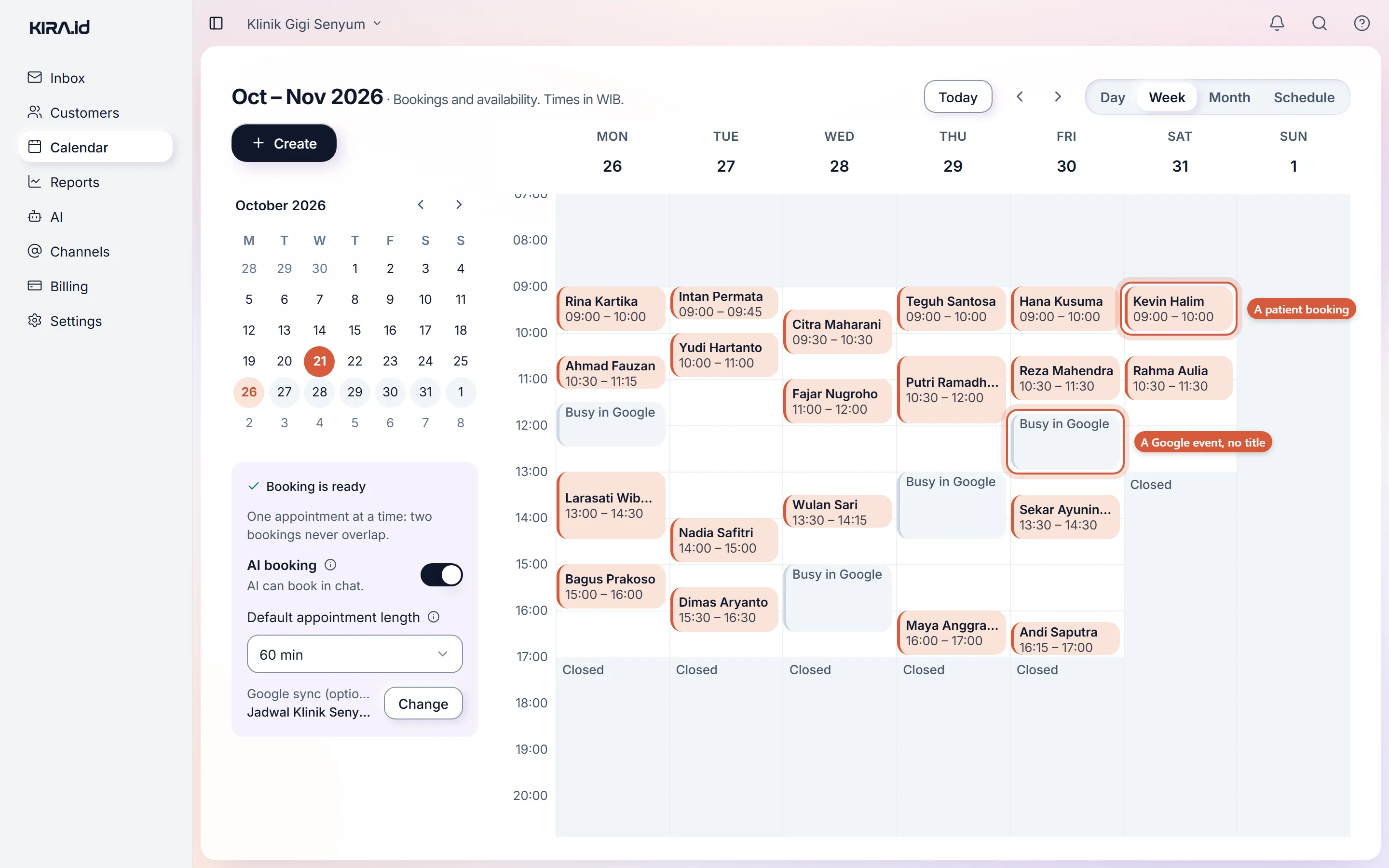
Your patients' data is never used to train the AI. See Your data stays yours.
An AI that answers patient chats on the clinic's behalf: practice hours, fees and requirements from your sources, the doctor's schedule booked in chat, and complaints handed to a doctor or nurse. The AI gives no medical advice, and your team can press Take over on a ticket at any time. See Taking over.
Yes. The AI answers whenever a patient writes, and bookings made in a late-night chat land in Calendar without anyone touching them. A complaint that arrives at night is still handed to your team and waits on the ticket with its reason.
No. Patients use the WhatsApp, Instagram, Messenger or web chat they already have.
A small clinic lives on the trust of the patients around it. A patient asking about practice hours deserves an answer right then, and a patient describing a symptom deserves an answer from a person who can assess it. So the AI handles what's written, schedules, fees and requirements, very neatly, and for anything about the patient's body, calls in your doctor.