English
English
Split leads by area, keep a client with the salesperson who brought them in, and stop anyone grabbing a teammate's chat. Every rule is visible, so nobody argues about who was first.
Monday, 09:12, and two of your salespeople are arguing in the office group. Dimas says the Kemang buyer is his: he replied first on Saturday night. Ayu says the buyer is her client from last month's open house, and Dimas jumped in while she was driving. Both have screenshots. Both want the commission. You just want to sell houses.
We've seen this often enough to have an opinion: salespeople don't fight because they're bad people. They fight because the rules are invisible. When nobody knows who a lead belongs to, the fastest thumb wins, and the person who did the slow, patient work loses. So in KIRA.id the rules are written down, applied the same way every time, and visible to everyone on the team.
This guide puts four settings together. They all live under Settings › Sales: the first two are rules on the Incoming chat rules card, the other two are switches on the Limits for sales staff card. They all start off, and only Owners and Admins can change them.
| The fight | The setting | What it does |
|---|---|---|
| "Sentul is my area!" | Salespeople who handle it on a chat content rule | When a chat about an area or project needs a person, or the buyer is ready to buy, only the salespeople who cover it are told and get it |
| "She's my client, I brought her in" | Are always handled by one salesperson on a number rule | That client's chats are always handled by one salesperson |
| "He grabbed my chat before I even opened it" | Stop salespeople taking each other's chats | Agents can't take over, reassign or reply in a teammate's chat, or in a chat those two rules give to someone else |
| "He took my customer to his own WhatsApp" | Hide customers' contact details | Agents never see the customer's number. See Hiding customer contact details from Agents. |
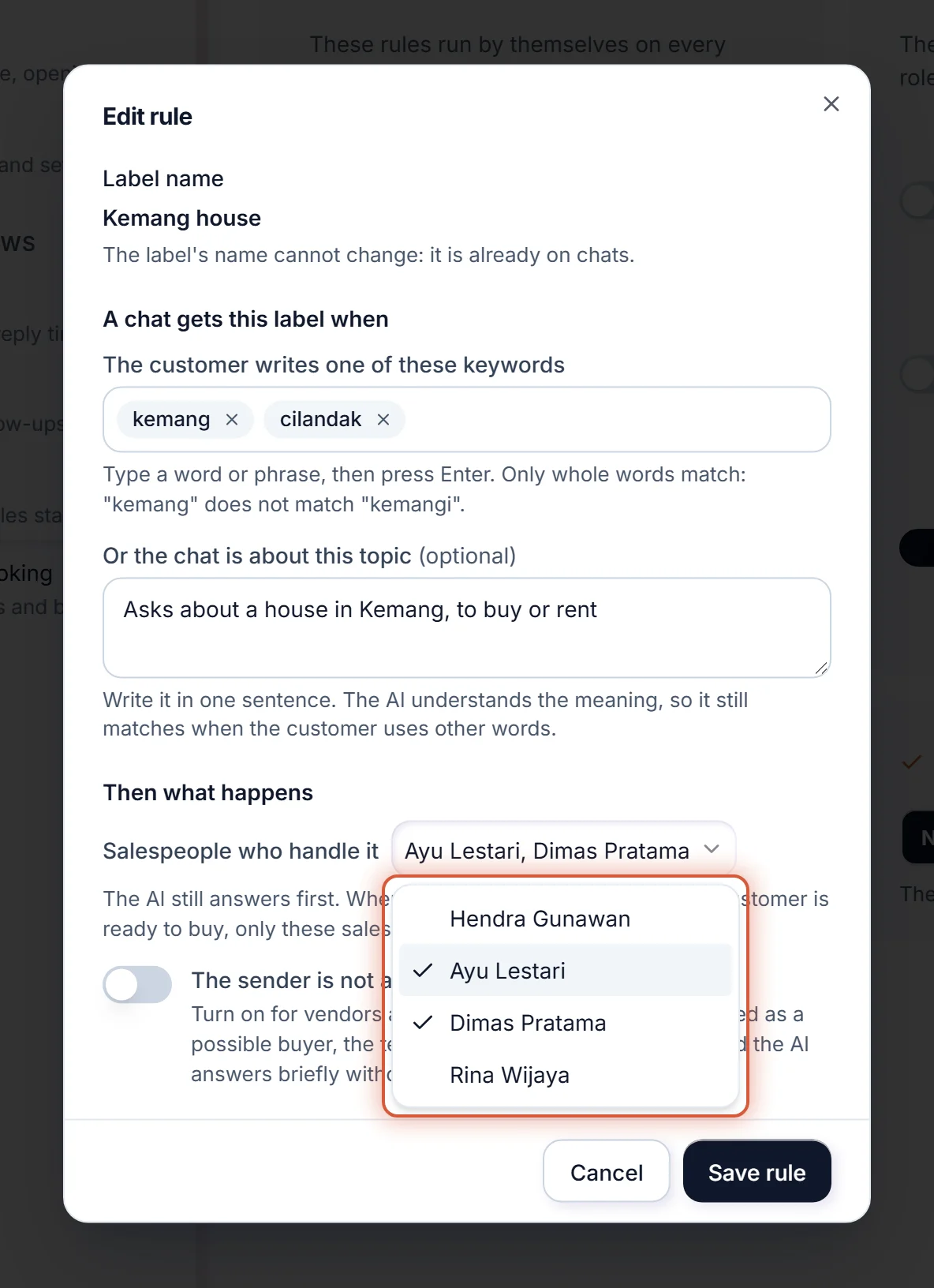
Sentul.sentul, or write "Asks about a house or land in Sentul" under Or the chat is about this topic, or both.To change the salespeople later, tap the rule in the list, change Salespeople who handle it, and press Save rule. How labels work is in Incoming chat rules: labels and numbers.
| Use | When |
|---|---|
| A keyword under The customer writes one of these keywords | Buyers write the area's name the same way every time. The word is found as it is, with no AI. |
| A topic, one sentence under Or the chat is about this topic | Buyers ask about the area in many wordings. The AI reads the meaning, so other wording is caught too. |
| Both | You want the sure matches and the loose ones. The chat gets the label when either one fits. |
A keyword matches whole words only, and upper and lower case make no difference: kemang matches "rumah di Kemang?" but not "kemangi". So a chat never goes to the Kemang salespeople just because a longer word happens to hold "kemang".
| What happens | The result |
|---|---|
| The AI hands a Sentul chat to your team | One of the Sentul salespeople gets it: someone who's Online first, then the least busy. Nobody outside the label gets it, not even when they're idle. |
| The AI sees a Sentul buyer is ready to buy | Only the Sentul salespeople get the Looks ready to buy notice. A chat no rule names still tells the whole team. |
| The customer chatted with one of them before | It goes back to that person, as long as they cover the label. |
| The chat carries two labels with salespeople | Both groups can get it. |
| Salespeople who handle it is left on Anyone on the team | The whole team shares the label's chats, as before. |
| A teammate removes the label's tag from the chat | The label's group no longer applies to that chat. |
Salespeople who handle it decides who gets a chat at the moment the AI hands it over. A label added later doesn't move a chat someone already holds.
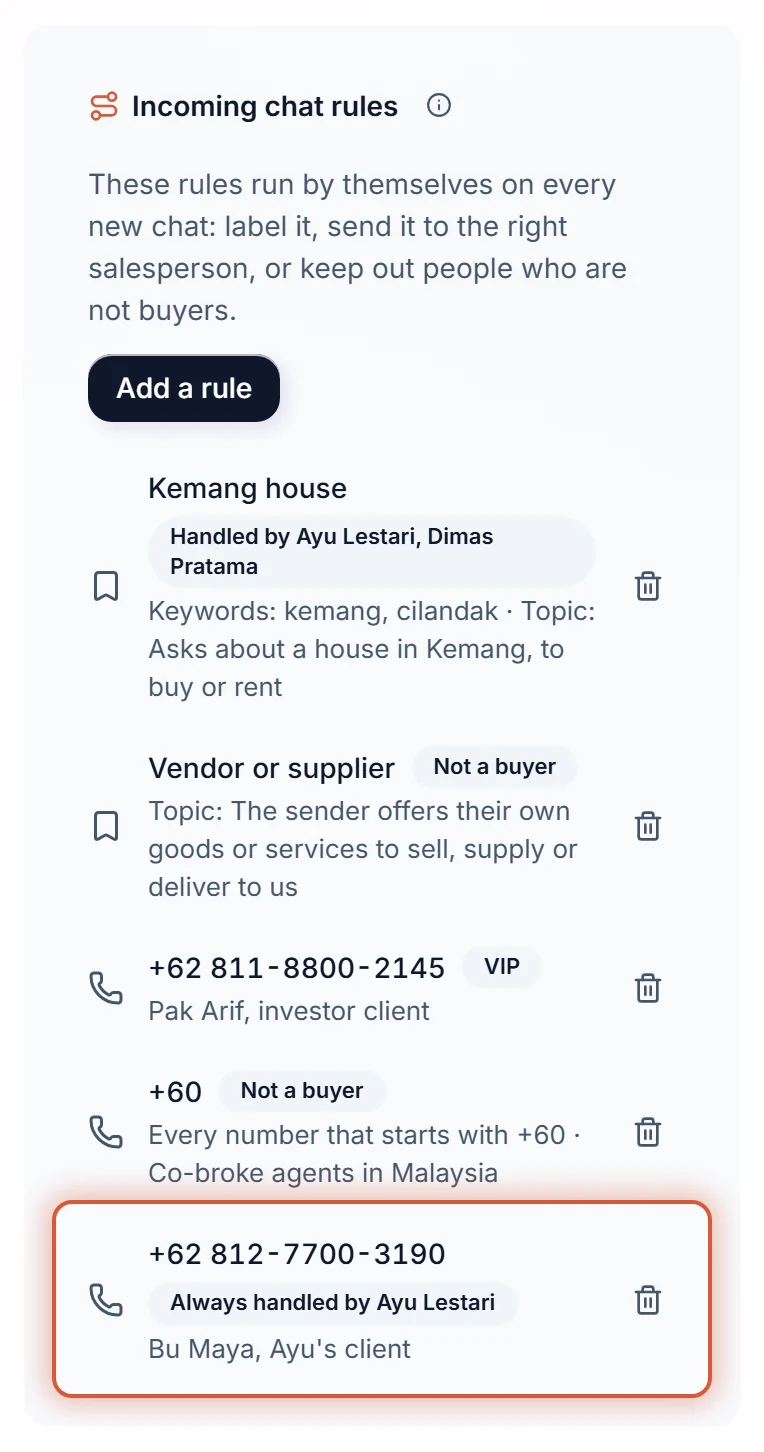
If the client moves to another salesperson, tap the rule in the list, pick the new Salesperson who handles it, and press Save rule.
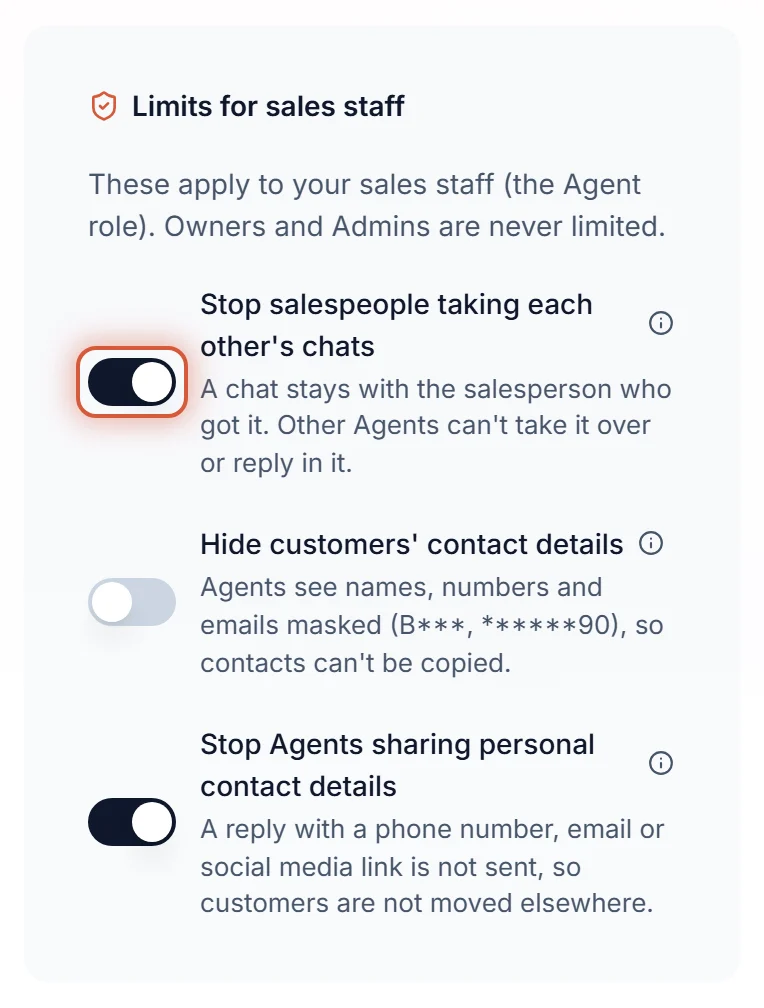
| What an Agent tries | Switch off | Switch on |
|---|---|---|
| Take over a chat routed to a teammate who hasn't opened it yet | Allowed | Refused |
| Assign a teammate's chat to themselves or someone else | Allowed | Refused |
| Send a teammate's chat back to the team, or to the AI | Allowed | Refused |
| Reply in a teammate's chat, with text, a file or a GIF | Allowed, the chat stays the teammate's | Refused |
| Send, edit or discard an AI reply waiting for an OK on a teammate's chat | Allowed | Refused |
| Take over, claim or reply in a chat the AI or the queue holds, when Are always handled by one salesperson or Salespeople who handle it sends it to someone else | Allowed | Refused |
| Assign such a chat to themselves | Allowed | Refused |
| Assign such a chat to a salesperson who covers it | Allowed | Allowed |
| Add or remove the tag of a label that has salespeople under Salespeople who handle it | Allowed | Refused |
| Hand their own chat to a teammate | Allowed | Allowed |
| Take a chat nobody holds yet, when no Are always handled by one salesperson or Salespeople who handle it names anyone | Allowed | Allowed |
| Add or remove any other tag | Allowed | Allowed |
| Write an internal note on any chat | Allowed | Allowed |
An Agent who tries reads "This chat belongs to a teammate. Ask an Owner or Admin to move it." and nothing changes. Owners and Admins can still move any chat, so a stuck chat always has someone who can decide.
The chats the AI is still answering need protecting most. Bu Maya writes at 22:00, the AI answers her, and Dimas sees her chat in the inbox. With the switch on he can't take it or reply: her number rule says she's Ayu's, so only Ayu can step in. The same goes for a Kemang chat waiting in the queue: only the Kemang salespeople can claim it, and anyone can still hand it to one of them. Moving a label's tag is how a chat changes group, so with the switch on only Owners and Admins can add or remove it; an Agent who tries reads "Only an Owner or Admin can do that. Ask an Owner or Admin."
The one thing we were careful about: protecting a lead must never make a buyer wait. A chat routed to a salesperson who doesn't open it in time still moves to the next teammate by itself, exactly as Pick up within says. The switch stops people grabbing; it doesn't stop the clock.
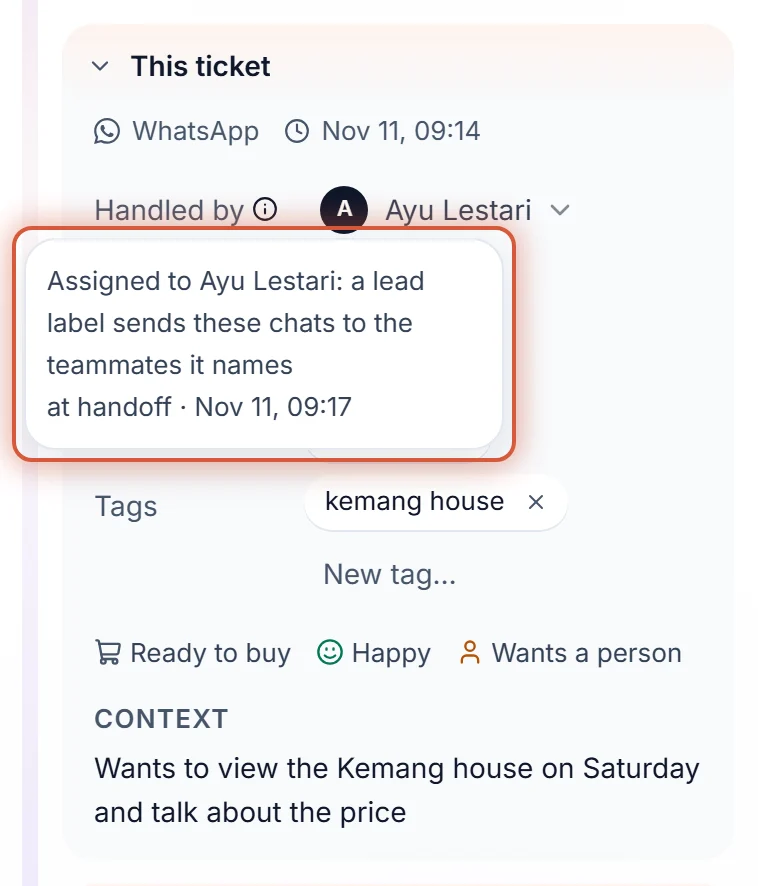
Open the ticket and tap or hover the info icon next to Handled by, under This ticket. The reason is written there in plain words, with when it was decided.
| What it says | What it means |
|---|---|
| Assigned to Ayu: a lead label sends these chats to the teammates it names | The chat carried a label with salespeople under Salespeople who handle it, and Ayu was the best fit inside that group. |
| Assigned to Ayu: this customer's number always goes to them | An Are always handled by one salesperson rule names Ayu for this number. |
| Assigned to Ayu: served this customer before | No rule applied; Ayu served this customer last. |
The ticket's Activity names people too. A chat moved by hand reads Assigned by hand by Dimas Pratama, and a take over reads Dimas Pratama took over the ticket, never just "a teammate". When two people remember Saturday night differently, the record doesn't.
A sales team runs on trust, and trust needs rules everyone can read. So the rules sit in one settings page, the system applies them without favourites, and every pick explains itself. The AI still answers first, day and night; these settings only decide which person a buyer reaches when the AI hands over. We'd rather your salespeople compete on how well they serve than on who taps first.