English
English
A CS rotator hands each lead to a salesperson's own phone, and the customer goes too. The safer way: everyone replies from one business number, and an ignored chat moves to the next salesperson by itself.
A WhatsApp CS rotator spreads new chats across your salespeople's numbers in turn, but each customer moves onto that salesperson's phone with the chat. For a team that sells on WhatsApp there's a safer setup: everyone replies from one business number, a chat left alone for a few minutes moves to the next salesperson by itself, and customers' numbers are masked for the sales team. The customer stays with the company.
2:07 p.m. Your ad just went live, and a prospect writes: "Hi, how much is the package for 50 people?" The chat lands with Dimas. Dimas is in a meeting with his phone face down on the table. Three minutes pass. Five. The prospect isn't waiting patiently; they messaged two other sellers too, and one of them answered at 2:09.
Not long ago, a sales team that lives on WhatsApp came to us with two requests. The first, in their words: "sales jaga HP", salespeople keep an eye on their phones. A chat ignored for three minutes should move to the next salesperson. The second, also in their words: "no customer aset kantor". A customer's number is a company asset, not the property of whichever salesperson happened to answer.
Our view: both are right, and a CS rotator solves the first request in a way that breaks the second.
A CS rotator is simple and cheap: one WhatsApp link that hands each new chat to the next number on a list of salespeople. For ads it solves a real problem. Leads spread evenly, nobody drowns, and it takes minutes to set up. We understand why so many teams use one.
The trouble starts after the handover. Once a chat reaches a salesperson's number, the conversation lives on that person's phone. The customer's number sits in their contacts. The history sits in their gallery. If the salesperson goes quiet, nobody knows. If they quit, the customer walks out the door with the phone, and you find out when a regular stops ordering. That morning is described in when your online shop admin quits.
A rotator spreads leads. It doesn't keep them.
In KIRA.id, every salesperson replies from the same business number, each with their own login, in one inbox. Every chat that needs a person goes straight to one salesperson: whoever is online comes first, the lightest load wins, and a returning customer goes back to the person who served them last. How the pick works is in the who gets a ticket guide.
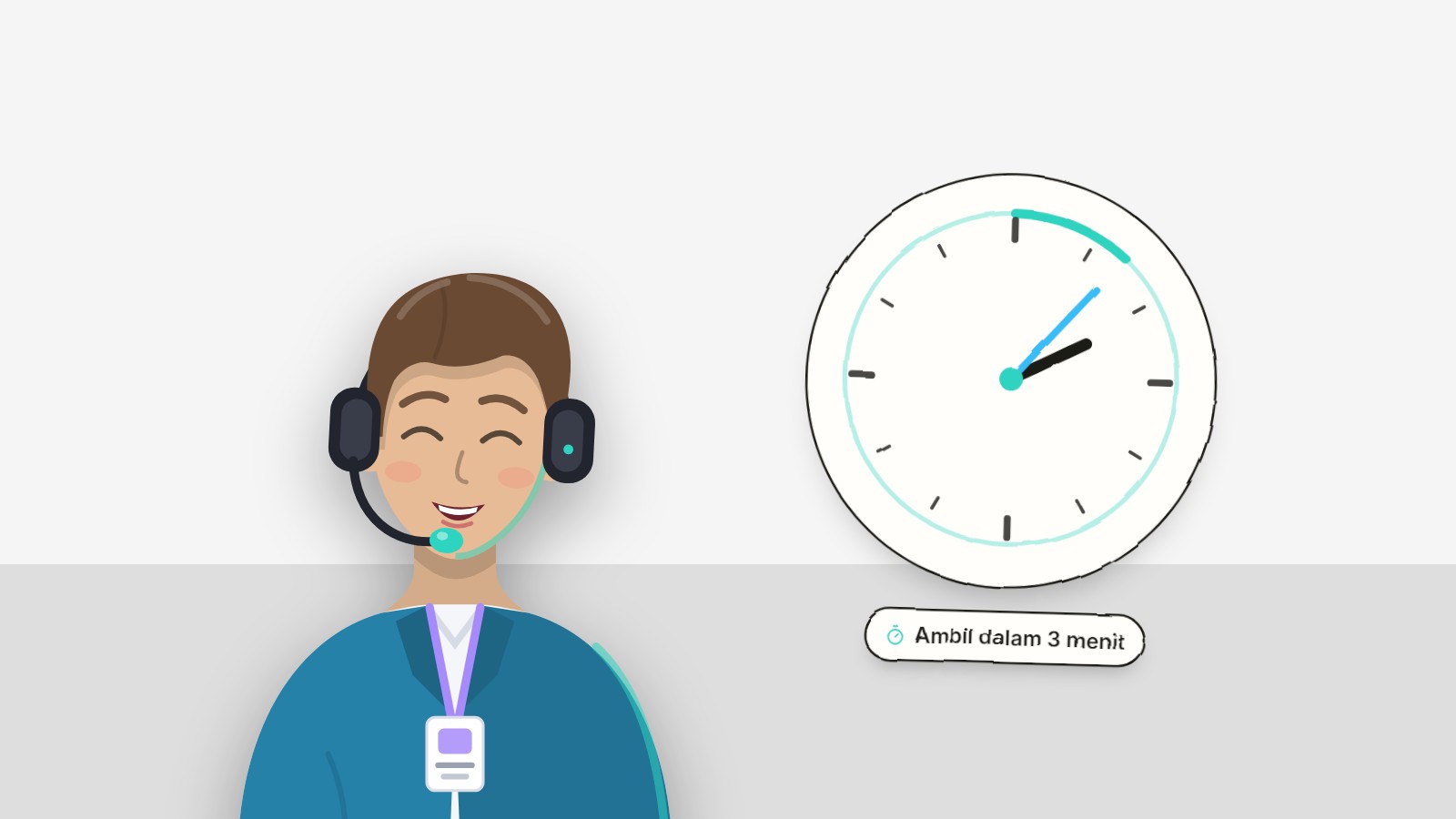
Then there's one number you set yourself: Pick up within, under Settings → Routing, on the Reply times card.
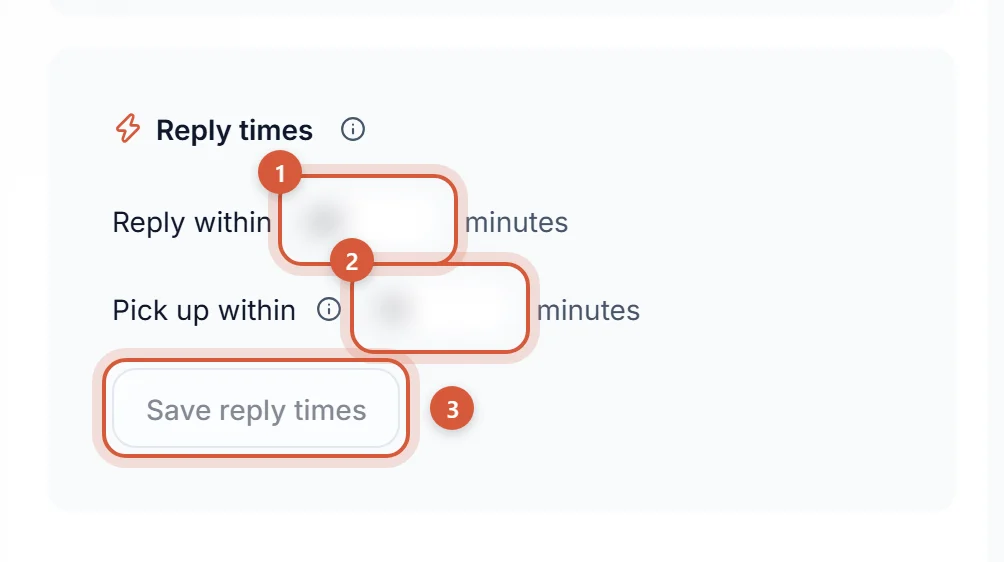
Set it to 3, and "keep an eye on your phone" becomes a rule:
Two small things we're stubborn about. The limit only runs during opening hours, so a chat that arrives at 2 a.m. isn't thrown between sleeping salespeople. And the customer sees none of it: no "your chat has been transferred" message, no salesperson's name promised and then swapped. The customer feels exactly one thing, which is being answered.
A salesperson who takes a chat for themselves is safe too: a ticket they assign to themselves never bounces to someone else.
Think of a ride-hailing app like Gojek. You chat with the driver through the app, and the driver's personal number isn't your business. The driver still gets you there. Nobody feels suspected; that's simply how it works.
A sales team can work the same way. A salesperson's job is to answer and close the sale, not to own the customer. Under Settings → Sales, an Owner or Admin turns on one switch: Hide customers' contact details. Salespeople with the Agent role then see customers' numbers and emails masked everywhere, inside the chat messages too, and can't search by them. The customer's name shows only the first letter of each word, like R*** W***: enough to tell two chats apart, not enough to look someone up outside. The AI still greets the customer by name in its own replies, because that greeting is part of the service.
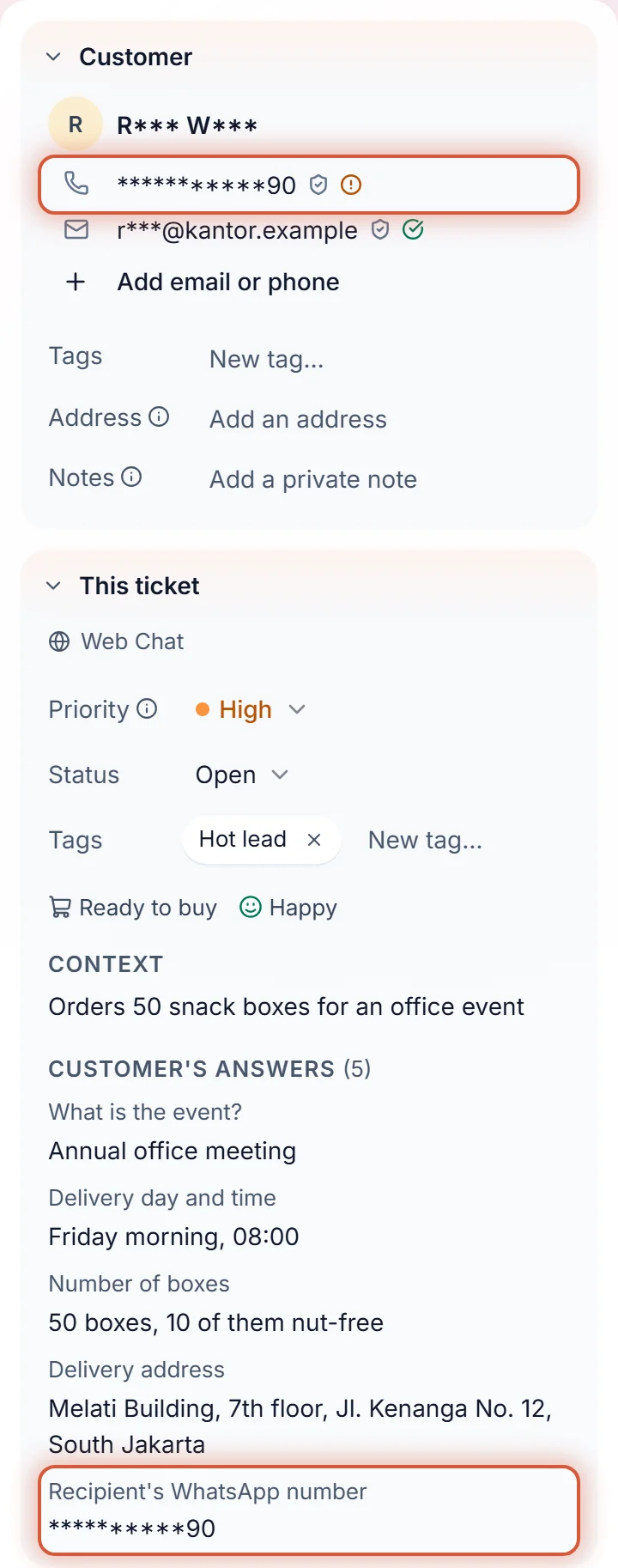
Owners and Admins always see everything. How it works in full is in the guide to hiding customer contact details, and why in hide customer phone numbers from your sales team.
With the AI on, nobody has to watch their phone all night. The AI answers first, at any hour, 2 a.m. included: prices from your price list, delivery, opening hours, schedules. When the prospect needs a person, to negotiate or ask for a special offer, the chat goes straight to your team. While they wait for a salesperson, a new simple question can still be answered from your knowledge, and the team keeps the chat. What the customer sees at that point is in the guide to waiting for the team.
In the web chat, the AI can ask for several details at once with one small form: the event, the date, the quantity, the address. The answers show up on the ticket panel as Customer's answers, so the salesperson checks the details before sending an offer, without scrolling back up. On WhatsApp, Instagram and Messenger the questions arrive as text and the customer answers in the chat, so the answers stay in the conversation. See the ticket page guide.
| CS rotator to salespeople's numbers | WhatsApp Business shared across phones | KIRA.id | |
|---|---|---|---|
| Leads spread evenly | Yes, in turn | No, first come first served | Yes, to whoever is online with the lightest load |
| An ignored chat | Sits on one person's phone | Everyone sees it, nobody feels it's theirs | Moves on its own after Pick up within |
| The customer's number | Saved on the salesperson's phone | Visible to everyone holding a phone | Masked for Agents, if you turn the switch on |
| When a salesperson quits | The customer and the history leave too | History stays, access has to be removed by hand | Remove the member; their tickets go back to waiting, customers and history stay in the workspace |
| 2 a.m. | Waits until the salesperson wakes up | Waits until somebody wakes up | The AI answers, the team follows in opening hours |
If you really need several separate numbers, one per salesperson, KIRA.id isn't a rotator and doesn't pretend to be. We chose one business number, because that's where your customers should live. On sharing one number with many people, read WhatsApp multi-admin on one number and a shared inbox for WhatsApp.
A motorbike dealer with five salespeople. Test ride leads come from ads in the late afternoon, while the salespeople are busy with walk-ins on the showroom floor. With Pick up within set to three minutes, a lead doesn't wait for one busy person. And when a salesperson moves to another dealer, their list of prospects stays behind.
A property agency. One house buyer can be worth more than a year's salary. That buyer's number shouldn't end up in the personal contacts of an agent who moves to the developer next door next month. The agent still serves the buyer fully, from the office number.
A B2B distributor. Procurement buyers write during office hours and want a quote fast. The AI collects the quantity, delivery address and date; the salesperson checks Customer's answers and sends the price.
A WhatsApp link that hands each new chat to the next number on a list of CS staff or salespeople. Good for spreading leads, but the conversation moves onto each person's own phone.
Have every salesperson reply from one business number in KIRA.id, then have the Owner turn on Hide customers' contact details under Settings → Sales. More in stop sales reps taking customers.
As long as the Pick up within value you set, in minutes, counted in opening hours. The field appears once your team has two or more members.
No. The customer gets no message when a chat moves. They only get the reply.
Yes. Admins and Owners always see everything. The switch only applies to the Agent role.
The team that asked for those two things wasn't suspicious of its salespeople. It was tired of losing customers to things that can be prevented: one phone face down in a meeting, and one number that walks out when its person does. Both are now a setting you make once.
Start with the who gets a ticket guide and the guide to hiding customer contact details. If you'd like to see it running with your own team, talk to us.