English
English
Your sales team answers every WhatsApp chat from the business number without seeing customer phone numbers, not in the chat and not in search. Here's how.
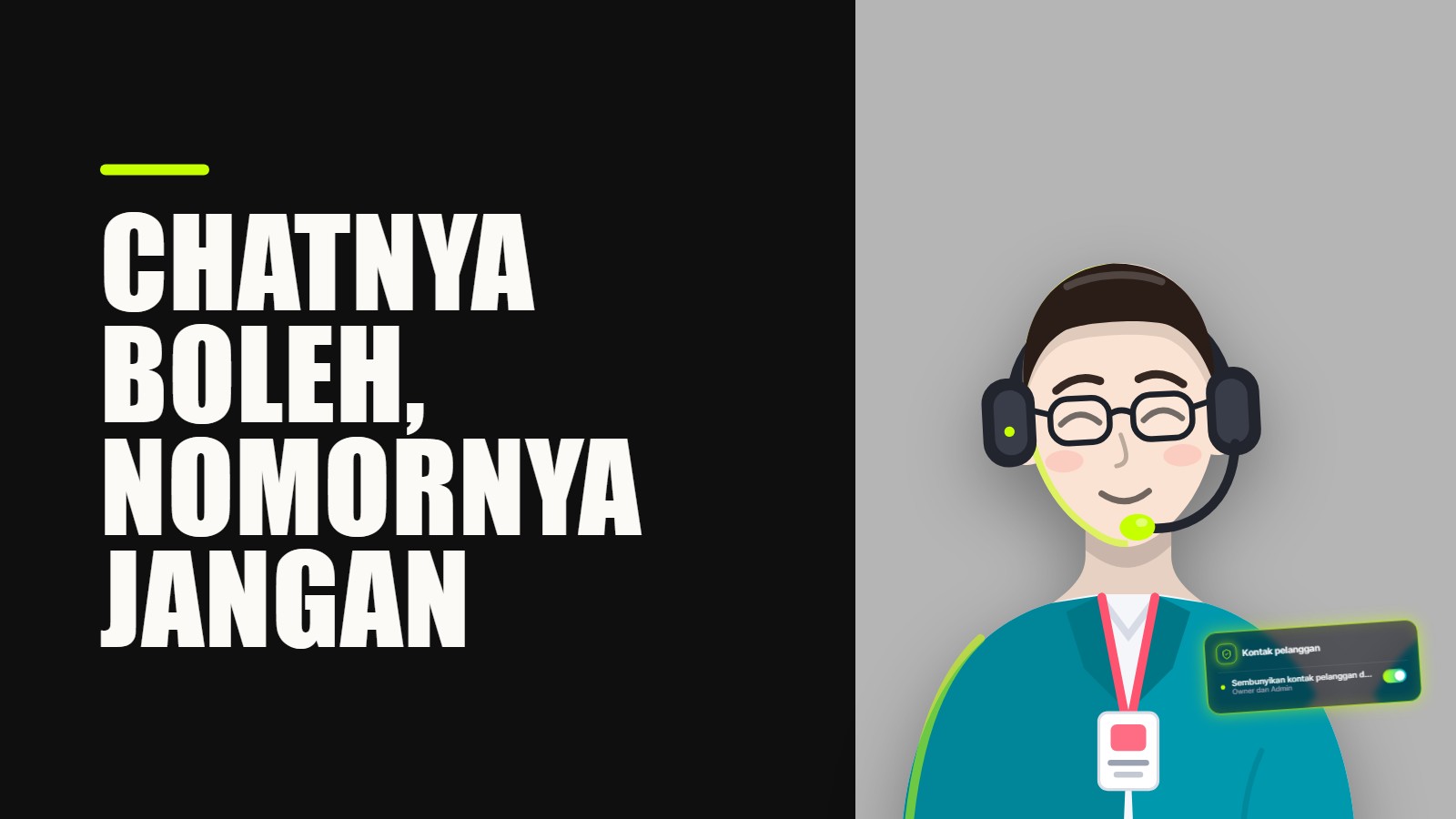
Yes, but not in the WhatsApp Business app, where anyone who opens a chat sees the customer's number. Connect your number through the official WhatsApp connection, have the team reply from one console, and switch on Hide customers' contact details in KIRA.id. Your sales team still answers from the business number, while customers' full names, numbers, emails and usernames stay masked for them, search included.
Picture a Saturday morning. A long-time customer replies to your offer, perfectly relaxed: "Oh, Rian already offered me the same thing on his own WhatsApp yesterday. Cheaper, too." Rian left two weeks ago. You stare at the screen for a while, because you know exactly where he got that number: the shop phone he held every day for a year.
It's more than annoying. It's an unease that sticks: how many of your customers' numbers sit in someone else's phone right now? And why does every new hire have to be either fully trusted or kept away from the work?
Here's where we stand: "hiding" a number that still turns up in search isn't hiding. If one column is covered but the number is still readable in the chat, in the summary, or pops up when someone types a few digits into search, that's a curtain full of holes. Your sales team needs the conversation. They don't need the number.
It isn't a flaw. It's how the app is built. The WhatsApp Business app is one account for one business. A second linked phone and WhatsApp Web on a colleague's laptop are that same account, so they all see the same things: the chat list, every message, and the contact info with the number on it. As of November 2026, the app has no setting that opens a chat to one person while hiding the customer's number from them.
Whoever holds the shop phone can copy a number, save it or screenshot it. For two people who trust each other, that's fine and free (see WhatsApp Business on two phones). For a sales team where people come and go, it's a door that never closes.
Some customers can now hide their own number behind a WhatsApp username, but that's their choice, not a setting you control.
The usual next step is a CRM or shared spreadsheet with the phone column hidden from sales. Looks sorted, until real life shows up:
One column closed, four other ways in. That's why we refused to stop at one column.
In KIRA.id, your business WhatsApp number connects through Meta's official route (steps in the guide to connecting WhatsApp). Everyone on your team signs in with their own account and replies from the console. Messages go out from your business number, never from anyone's personal phone.
Then there's one switch. The masking happens on our server, everywhere a number can show up: the contact panel, the chat, form answers, summaries and search. Not one column. All of it.
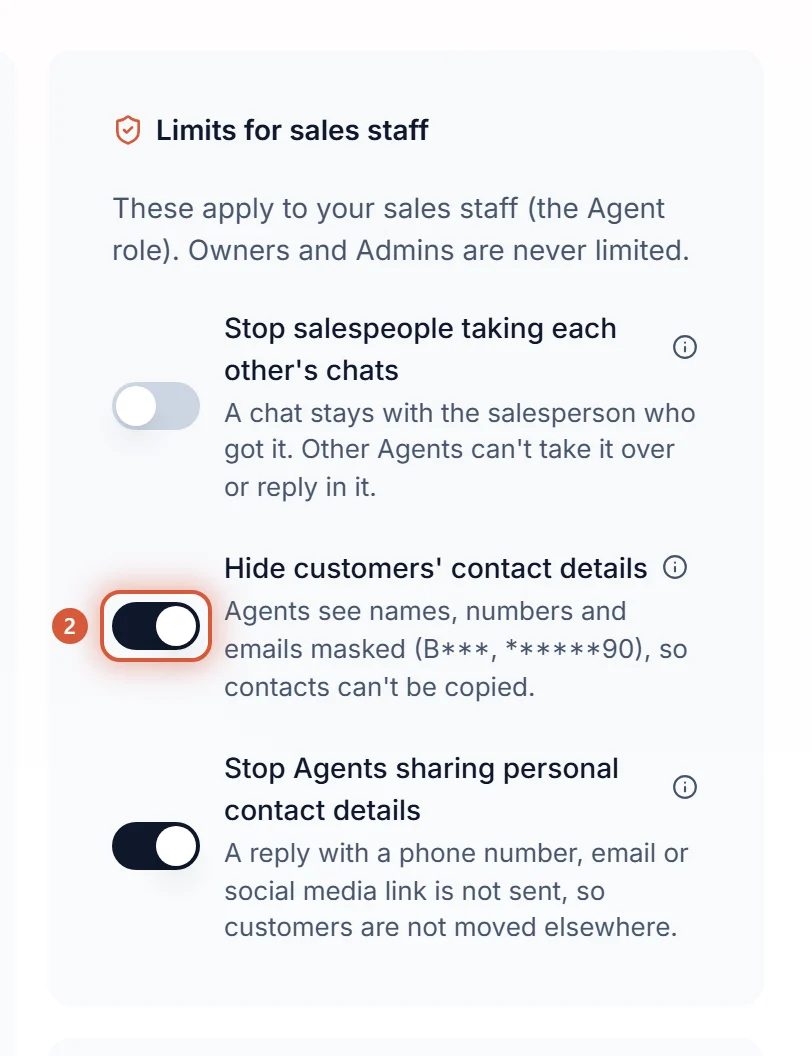
Only Owners and Admins see the card and can change it, and every change is recorded: who and when. It's off by default, so a workspace that never turns it on works exactly as before.
A word on names: whoever answers your chats joins KIRA.id with the Agent role, whatever you call them in the shop. The Admin role runs the workspace and sees everything. See how to invite your team, and why we stopped at three roles in Owner, Admin or Agent.
| Where | Salesperson (Agent) | Owner and Admin |
|---|---|---|
| Contact panel and customer profile | ***********90, b***@example.com, username b***, with a shield mark | Everything |
| The chat: the customer's, the AI's and the team's messages | Numbers, emails and the words of the customer's name in a sentence masked, every other word intact | Everything |
| Form answers, the ticket summary and the next step | Readable, numbers and emails masked | Everything |
| Search in Customers, Inbox and Search (⌘K) | Codes, and a name only by a whole word of it. A number, part of one, an email or a username finds nobody | As usual |
| Copy button, Open in WhatsApp, remove contact | Not there | As usual |
| Maybe the same person suggestions | Not shown | Shown, and they decide on merges |
| The customer's name | Only the first letter of each word: Dinda Putri reads D*** P*** | Shown |
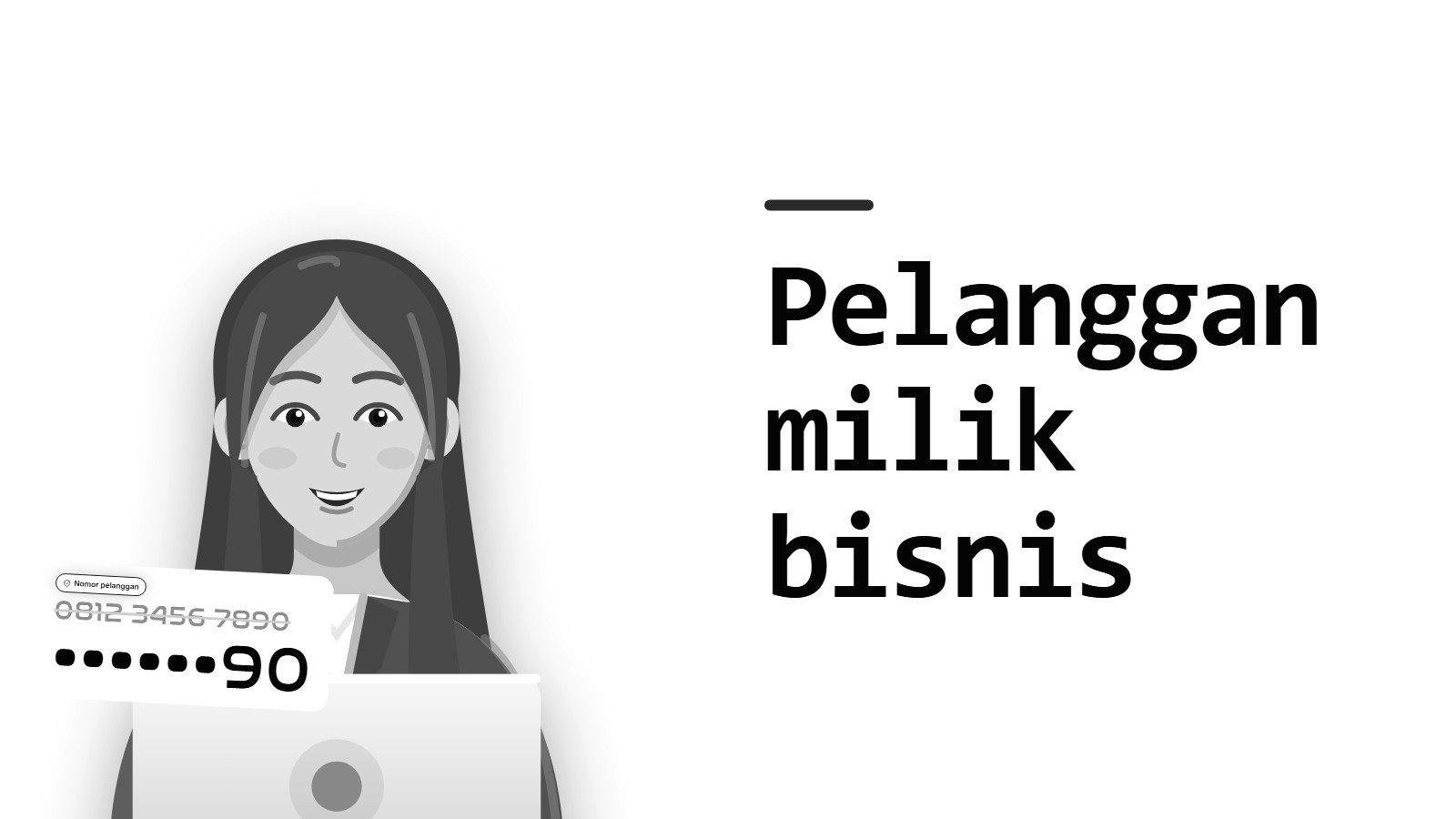
We keep the last two digits on purpose: enough to tell two numbers on one customer apart, too few to dial. A name is treated the same way: the first letter of each word stays, enough to tell two chats apart, too little to find the person on Instagram or Facebook. The AI still greets "Dinda" in its own replies; on your salesperson's screen that greeting reads "D***".
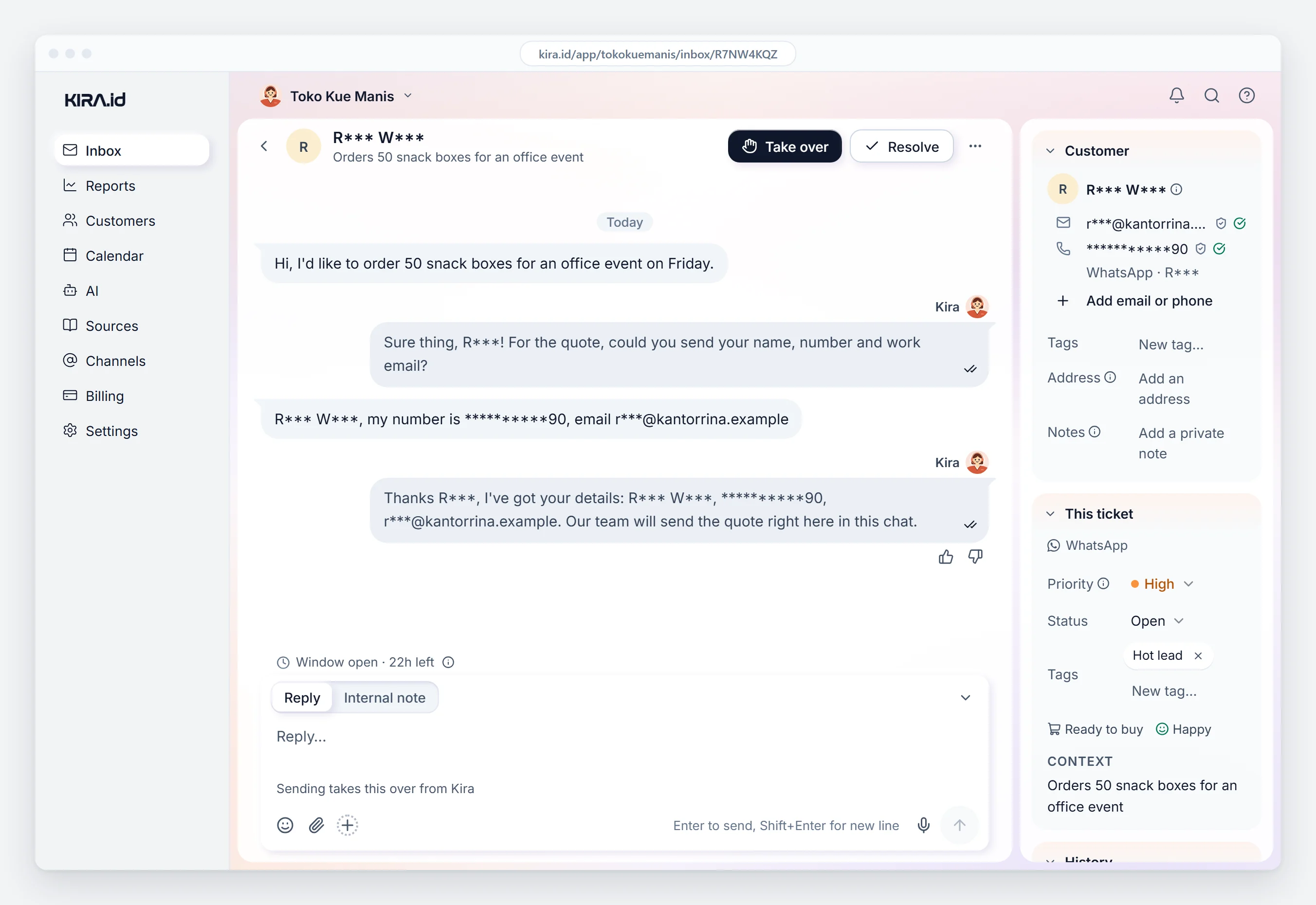
Your sales team keeps their full job: reply, take over, resolve, tag, write notes. A salesperson can still add a number or email the customer shares in the chat; once saved, they see it masked too. Removing a contact becomes an Owner or Admin job, like merging and exporting customers (see roles and permissions). The AI still uses contacts for its own work, such as bookings and reminders.
And your customers notice nothing. Stored messages are never changed; only what an Agent's screen shows is masked.
| WhatsApp Business app on a shared phone | A CRM that only hides the phone column | KIRA.id with the switch on | |
|---|---|---|---|
| Sales sees the number in the profile | Yes | No | No, masked |
| Sales sees the number in the chat text | Yes | Yes | No, masked |
| Sales can find a customer by number | Yes | Yes | No |
| Sales can copy the number | Yes | Yes, from the chat or summary | No copy button |
| Replies go out from the business number | Yes | Depends on the tool | Yes, from the console |
A skincare online shop with three admins. The owner switched it on before the third admin started, just ahead of the big sale season. The AI answers product questions from the shop's knowledge, like which serum suits oily skin. Buyers fill in a chat form (name, city, skin type) and the admin builds a bundle from the answers, no copying contacts into a spreadsheet. The numbers stay masked all the way through. One task changed hands: shipping needs the recipient's number, so the owner now handles it.
A tour agency with four salespeople. Prospects ask about trip dates and deposits. A customer who returns next month usually goes to whoever served them last, so commissions stay clear without anyone keeping a number. When a customer writes "call my husband on 0812...", the salesperson sees asterisks and two digits; the owner sees it all. A ticket nobody picks up within the Pick up within limit moves to the next teammate, so nobody waits on someone on leave.
No. Every phone or linked device is the same account and sees the same numbers. Hiding them from part of your team takes a console with roles, like KIRA.id.
Yes. Each joins with the Agent role, replies from the console, and messages go out from your business number. Only the customer's full name, number, email and username stay out of sight.
No. Numbers and emails inside messages are masked for Agents, whoever wrote them.
No, neither the full number nor part of it. They search by customer code, or by a whole word of the name.
No. Nothing changes for them, and stored messages are never altered.
We didn't build this because we think salespeople are crooks. Most are good, and they deserve the whole conversation. We built it so you never have to guess who's who. There's a quiet relief in knowing a new hire can start replying today while your customers' numbers stay where they belong.
The full steps are in the guide to hiding customer contact details from Agents. Want to see it in your own workspace before your next salesperson starts? Talk to us.