English
English
Shop admins are tired of typing 'S, M, L or XL?' dozens of times a day. Send size buttons from the inbox and the customer just taps. Here is how.
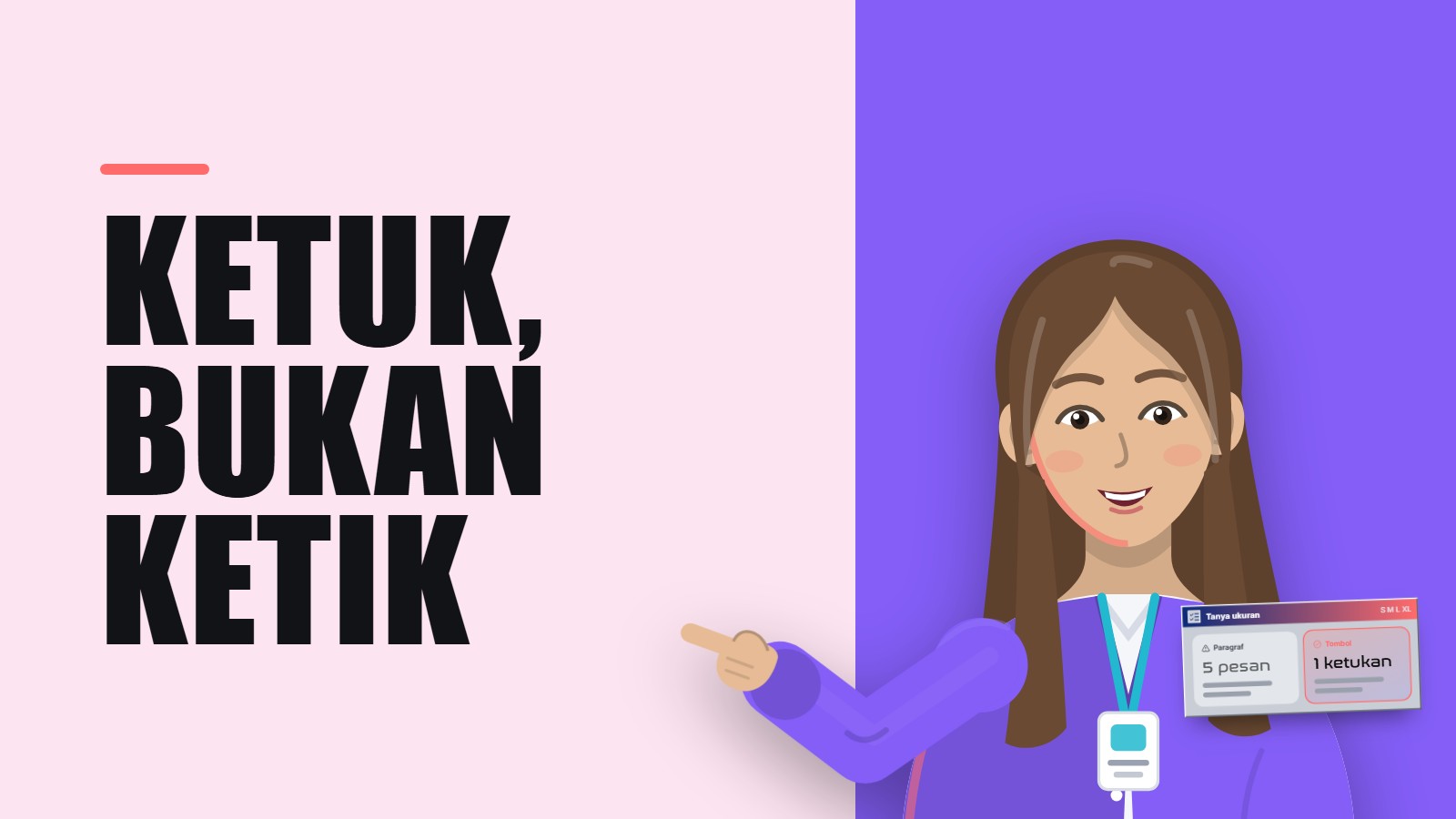
Eleven in the morning, day three of the sale. You have typed "Which size, S, M, L or XL?" for the umpteenth time, and your fingers have started doing it on their own. The customer replies "L", then "is it available in blue?", then "how much is shipping to Bekasi?". Every question becomes five messages back and forth, and the queue next to you keeps growing.
We dislike that, and our opinion is simple: if the answer is just one of four options, the customer should not have to type and you should not have to explain. Send four buttons. The customer taps. Done. That is not a clever trick; it is how a good shop assistant serves people: pointing, not dictating.
Shop admins usually have two ways: write a long reply that answers everything, or ask one thing at a time. Long replies rarely get read to the end. One question at a time keeps the customer waiting. And both ask the customer to type an answer that is really a choice: "L", "the blue one", "JNE".
There is a hidden cost too: typos. "XL" becomes "X L", "Blue" becomes "light blue?", and you reinterpret. A tapped option cannot be mistyped. For why we are so stubborn about this, we wrote about WhatsApp buttons for business and WhatsApp Business quick replies.
Cards are not only the AI's. When your team takes over a conversation, the same cards are under the (+) (Add to reply) button in the reply box, and the customer receives them exactly like cards from the AI.
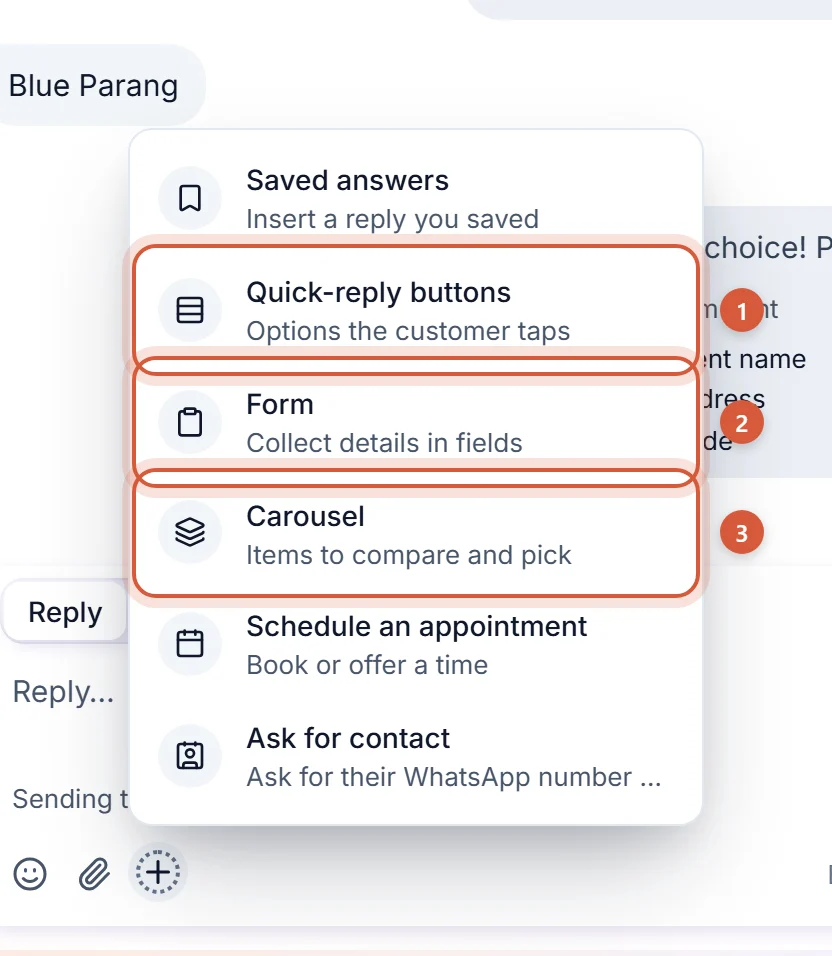
Which card for what:
| Pick | When the customer needs to | Example |
|---|---|---|
| Quick-reply buttons | Choose one of a few short answers | Size, delivery method, branch |
| Form | Give several pieces of data at once | Recipient name, address, postcode |
| Carousel | Compare several products or packages | Three batik patterns, three ticket types |
| Schedule an appointment | Choose a time | Offer three free times |
| Ask for contact | Leave a WhatsApp number or email | So you can reach them |
On WhatsApp, a few options show as buttons and more options show as a list. The editor tells you the shape the customer will see, so you are not guessing. Instagram and Messenger show them as quick replies, and web chat as chips under the reply.
A few rules keep you from a card that fails: one reply carries one card, one option is at most 20 characters, and one reply holds at most 10 options. An option over the limit is refused with a clear message, never trimmed silently.
The steps for filling every card, including forms and carousels, are in tools in the reply box, and picking the right card is covered in sending cards yourself from the inbox.
Every card that is sent shows again under its message bubble in the ticket. A teammate who opens the ticket later knows exactly what the customer saw.
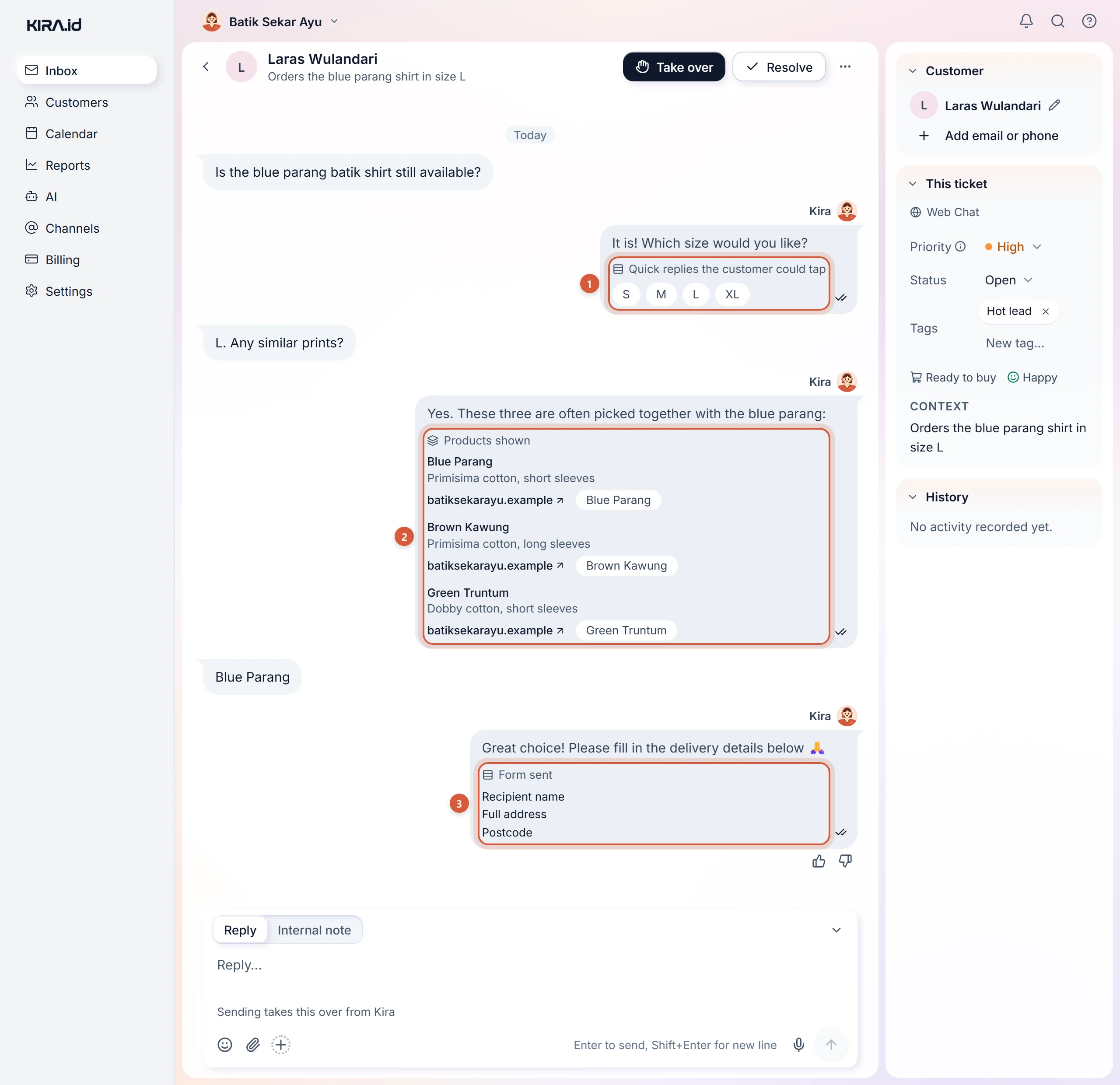
The rows are plain: Quick replies the customer could tap for buttons, Products shown for a carousel, Form sent for a form. This part is history only; nothing there can be clicked to resend.
Your reply carries a tick too, so you know the card arrived or was read; if it failed there is a red line and Send again (what each tick means). And one thing that gets overlooked: the customer's tap is sent as their own message, with the button text. So if they tap L, your ticket shows "L".
| A long paragraph | One question per message | A card from the inbox | |
|---|---|---|---|
| Customer has to type | Yes | Yes | No, just tap |
| Typo risk | There | There | None |
| Messages until done | Few but rarely read | Many | One card, one tap |
| Team knows what the customer saw | Yes | Yes | Yes, it shows again in the ticket |
All invented.
A batik shop. The admin sends four size buttons, then a carousel of three patterns often picked together. The customer taps "Parang Biru", and the admin sends a form for recipient name, address and postcode. Three taps and one form, with no question repeated.
A cake shop. Three delivery choices: collect in store, the shop's courier, or a ride-hailing courier. The customer taps the right one, and the admin moves straight to the next step.
An accessories shop. The admin asks for a WhatsApp number through Ask for contact, so the customer can be told when stock returns. That tool sends straight away, so it asks for confirmation first, and if the customer has already declined to share contact details, the card is not sent again.
Sentences that stay the same every day, like opening hours or a bank account number, suit a saved answer better than a card. That is covered in the saved answers guide and in customer service reply templates.
Do all channels show the same buttons? The menu only shows tools the ticket's channel can carry. The shape follows the channel: buttons or a list on WhatsApp, quick replies on Instagram and Messenger, chips in web chat.
Does the customer have to tap? No. They may type their own answer, and the AI reads it like any message.
Why is the send button disabled? A card rule has not been met, for example a carousel with too few items, a link without https://, text too long for a card, or a file and a card in one reply. The line under the editor says what to change.
Are form answers saved? Yes. The customer's answers are saved on the ticket, and each field shows the name of where its answer is stored.
A good admin is not the one who types fastest, but the one who makes the customer type least. Four size buttons are already a reply, and your fingers can rest for the things that genuinely need your words.
Want to see these cards in your shop's inbox? Talk to us. And for the full picture of every card, start with interactive messages and the daily tasks of an online shop admin.