English
English
A customer service SOP for an online shop that's short enough to use: service hours, standard answers, when to hand over to a person, and a weekly review.
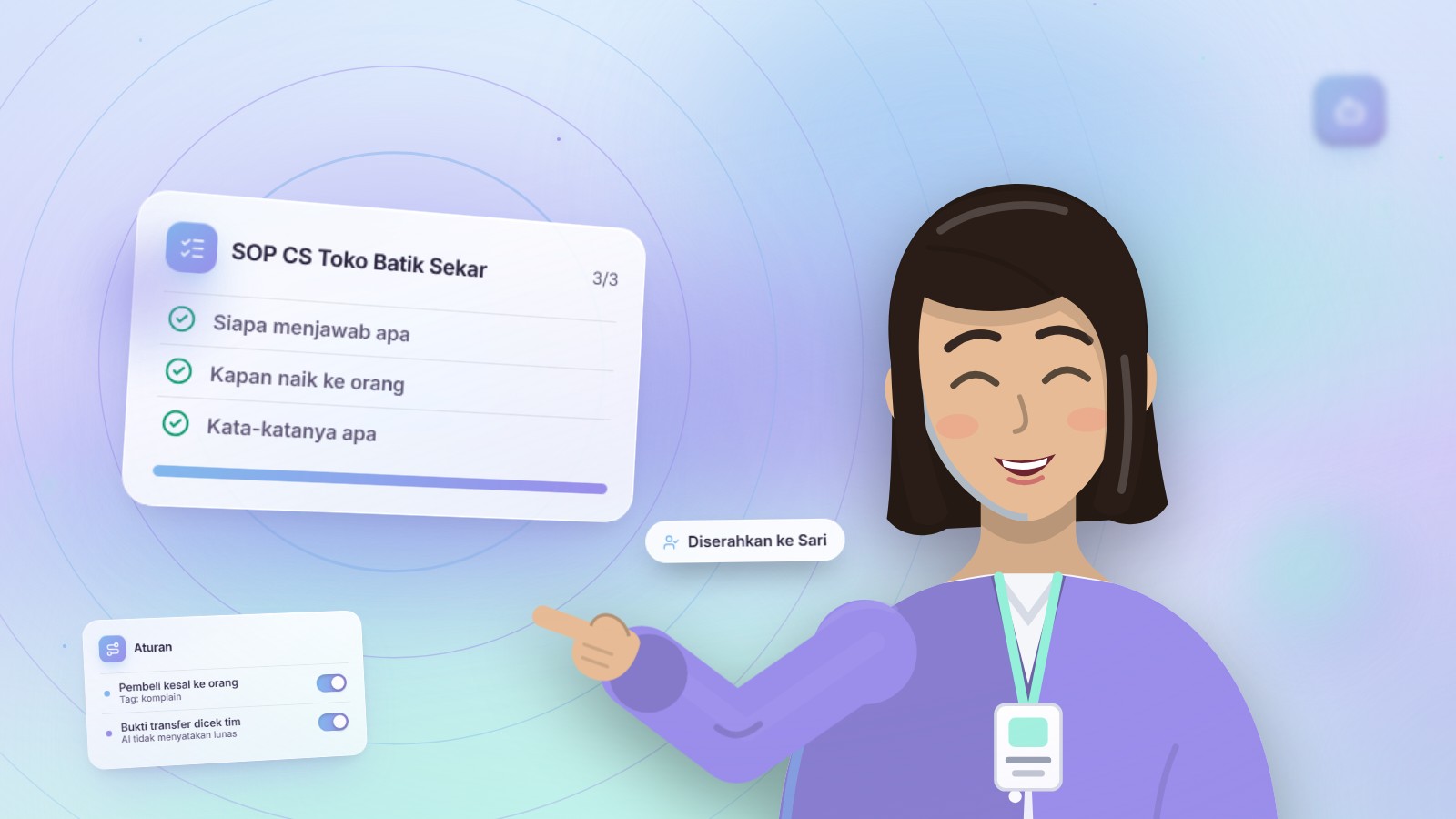
On day one, the new admin asks three things. "If a buyer asks for a discount, can I say yes?" "If it's sold out, what do I say?" "If the buyer is angry, what do I do?" And you, busy, answer: "Just be friendly. You'll get a feel for it."
That isn't an SOP. That's a hope. And the hope is why two admins give two different answers to the same question, and a buyer compares them in a group-chat screenshot.
Here's what we believe: a good customer service SOP for an online shop is short, lives where people work every day, and answers just three things: who answers what, when a matter goes to a person, and what the wording is. A forty-page binder that gets read once and then sinks into Drive does nothing for the buyer waiting at eleven at night.
Below is a template you can copy into any document. For each part we also show how KIRA.id runs it, so your SOP doesn't only get written down, it works.
Write down when your human team is open and how long a buyer may wait for a reply from a person. Pick a number your team can actually keep during opening hours. A promise that's too tight just turns every ticket red.
In KIRA.id: Settings → Business, the Opening hours card, then Settings → Routing, the Reply times card.
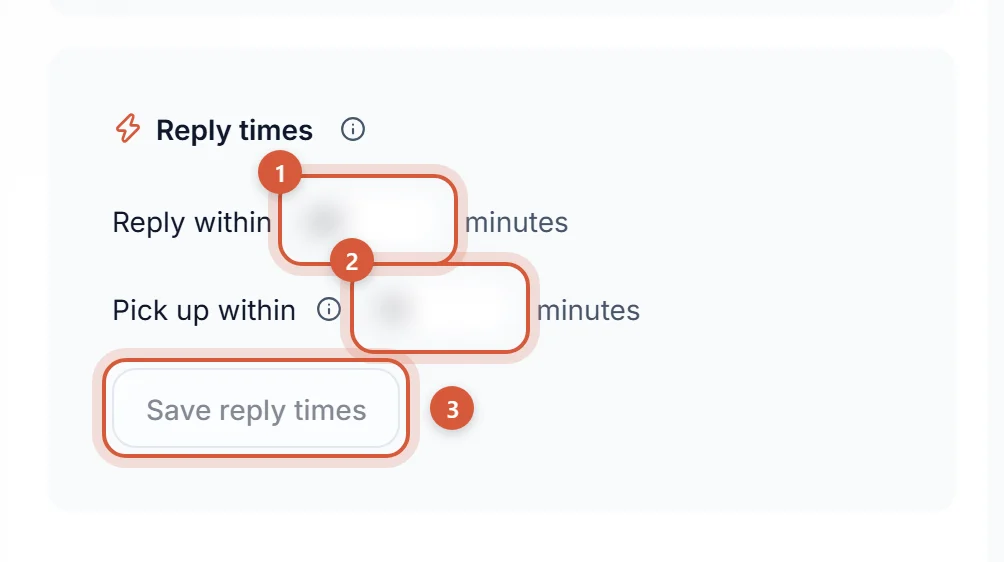
The timer only counts opening hours and only for tickets a person holds. The ticket's chip reads On time, then Overdue once the limit has passed. Overdue sounds no alarm and changes no priority; it's recorded for your reports. The AI itself answers any time and is never counted as late. One note: there's no holiday list yet, so switch that day off in your schedule before a holiday.
What needs to be written down: the size chart, the product and price list, shipping and delivery times, how to order, the return terms, the reseller terms. One place, one version.
In KIRA.id: Sources. Answers and FAQs can be written right there on the Facts tab, and if your prices and stock live in a Google Sheet, link the Sheet.
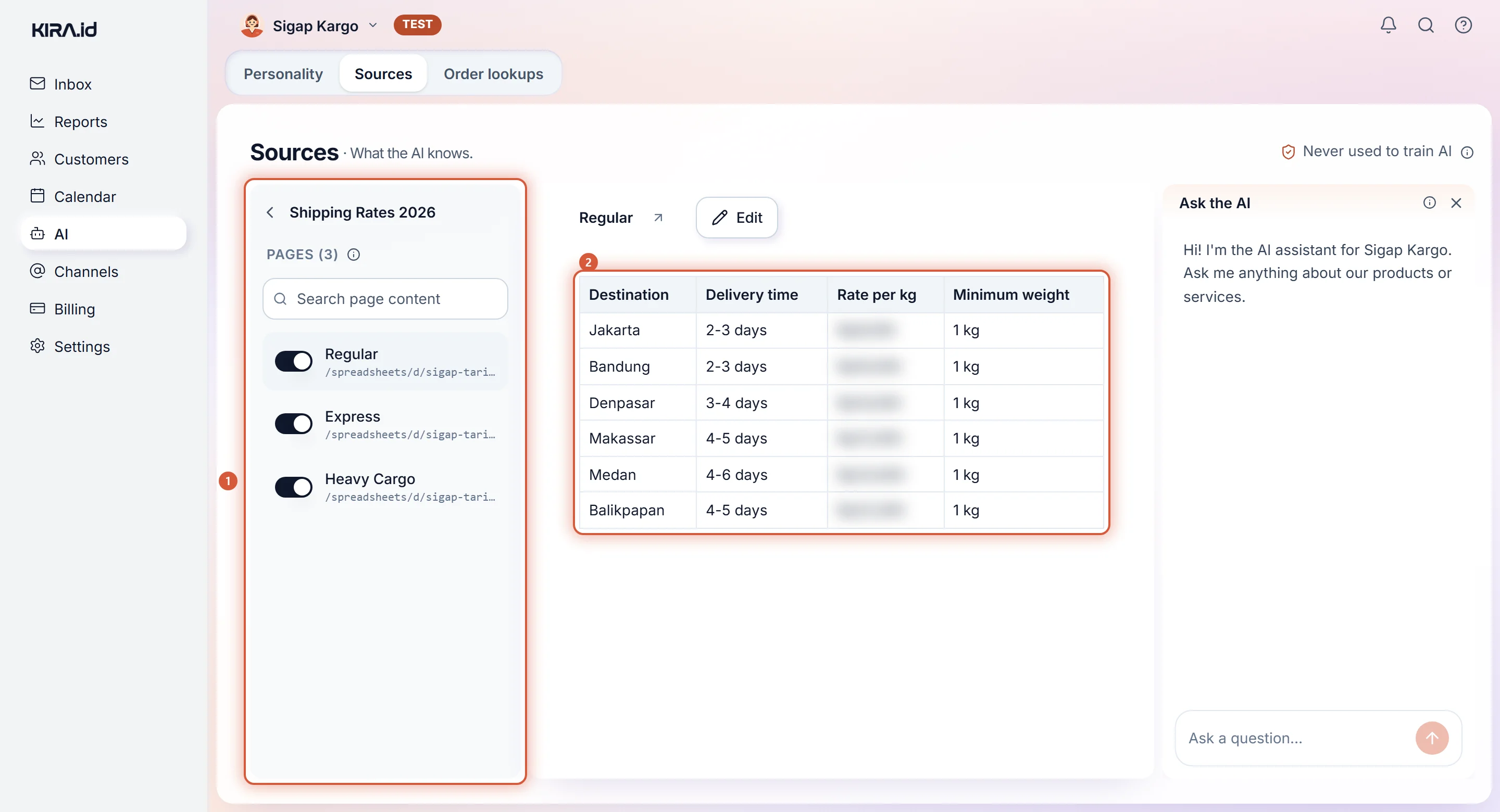
Changes in the Sheet are picked up on their own: KIRA.id checks it regularly and reads it again a short while after you stop editing. An honest detail: it waits for you to stop, it doesn't guess when you're done. So put one habit in your SOP: finish a price change in one sitting, never leave it half done.
Decide how to greet (first name, "dear customer"), how long answers run, and whether emoji are welcome. For answers that must be word-for-word, like the deposit account or the return policy, save them as saved answers: type / in the reply box, pick, check, send.
In KIRA.id: AI → Personality for the AI's voice, and the Saved answers page for the team's official wording. Only Owners and Admins change saved answers, so there are no stray versions.
| Question | Answered by | SOP note |
|---|---|---|
| Size, material, washing | AI, from Sources | Make sure the size chart is there |
| Price and stock | AI, from the product list | Update the Sheet, the AI follows |
| Shipping cost and delivery time | AI, from the FAQ | Write what's true; don't ask the AI to guess rates |
| "Where's my parcel?" | AI, if the order sheet is connected | Only for a buyer whose contact is verified |
| Proof of transfer | A person | The AI never declares anything paid |
| Change or cancel an order | A person | The AI answers first, the team checks |
| Returns, damaged goods, an upset buyer | A person | The Problem, customer upset rule |
This is the part that blurs most often in an SOP. Write it plainly: a buyer who asks for a person gets a person. An upset buyer gets a person. Money matters are checked by a person.
In KIRA.id the rules already exist under Settings → Routing, the Rules card, with a switch and a tag for each. When one of them applies, the AI passes the chat to your team right away: the buyer never has to ask twice or look for a button.
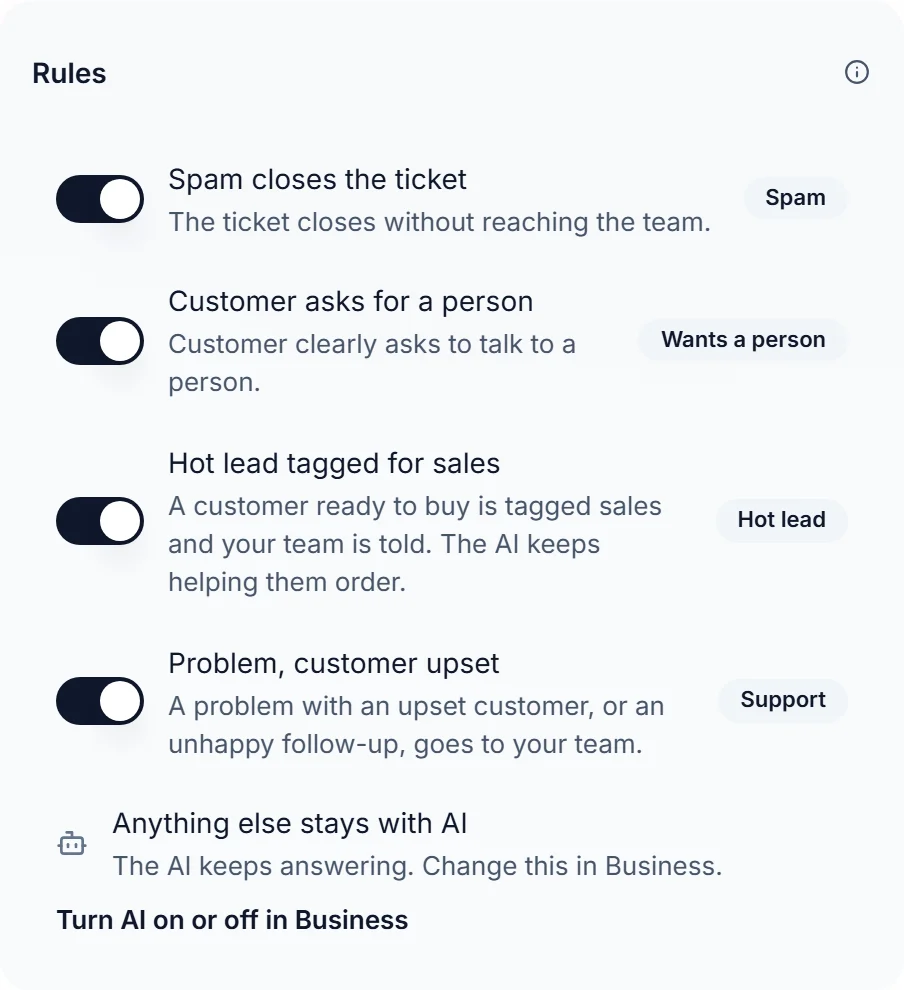
When a ticket moves, the customer is told once, and if you're closed, when you open again. The ticket goes straight to one teammate, and anyone can see why.
Four steps you can write into the SOP: acknowledge the feeling, restate the problem in your own words, offer one concrete fix, then follow up. Don't defend yourself in the first sentence.
Every Monday, fifteen minutes: open Reports → Overview for the top themes and the questions the AI couldn't answer. Each line in that list is one FAQ to add to Sources. A living SOP changes every week.
| SOP in a document | SOP in KIRA.id | |
|---|---|---|
| Read | Once, on day one | Run in every chat |
| Hours and reply limit | Written, not measured | Measured, marked, recorded per person |
| When to hand to a person | Each admin's judgement | A rule with a switch and a tag |
| Standard answers | Copied from notes | / in the reply box, or the AI from Sources |
| Updates | When someone remembers | From the unanswered-questions list |
These are made up.
A modest-fashion shop with two admins. The SOP is four lines: sizes and prices answered by the AI from the table, "has it shipped?" answered from the order sheet, returns always a person, bulk orders tagged Hot lead.
A shoe shop that gets busy after promos. They added one section: after a promo post, check Busiest hours under Reports → Speed → Go deeper and schedule an admin for those hours.
A baby-supplies shop run by the owner alone. The SOP is one page, and the important part is section five: anything involving money or a complaint, the owner answers.
A written guide that says who does what, when, and in which words, so service doesn't depend on which admin is on shift.
No. One or two pages people actually use beat forty pages nobody opens.
The clearly decidable parts, yes: hours, reply limits, handoff rules, and answers from Sources. The parts that need judgement, like complaints and money, stay with people. That's how it should be.
If you only have an hour, write section five and switch its rules on. Read about handoff rules, saved answers and Google Docs, Sheets and Slides as knowledge. To split tickets in a small team, read fair ticket assignment for a small team, and to keep answers fresh, the weekly AI knowledge-gap routine. Questions? Talk to our team.