English
English
Online shop admin tasks, sorted honestly: stock and shipping answers can be helped by AI, while checking transfer proof and complaints still need a person.
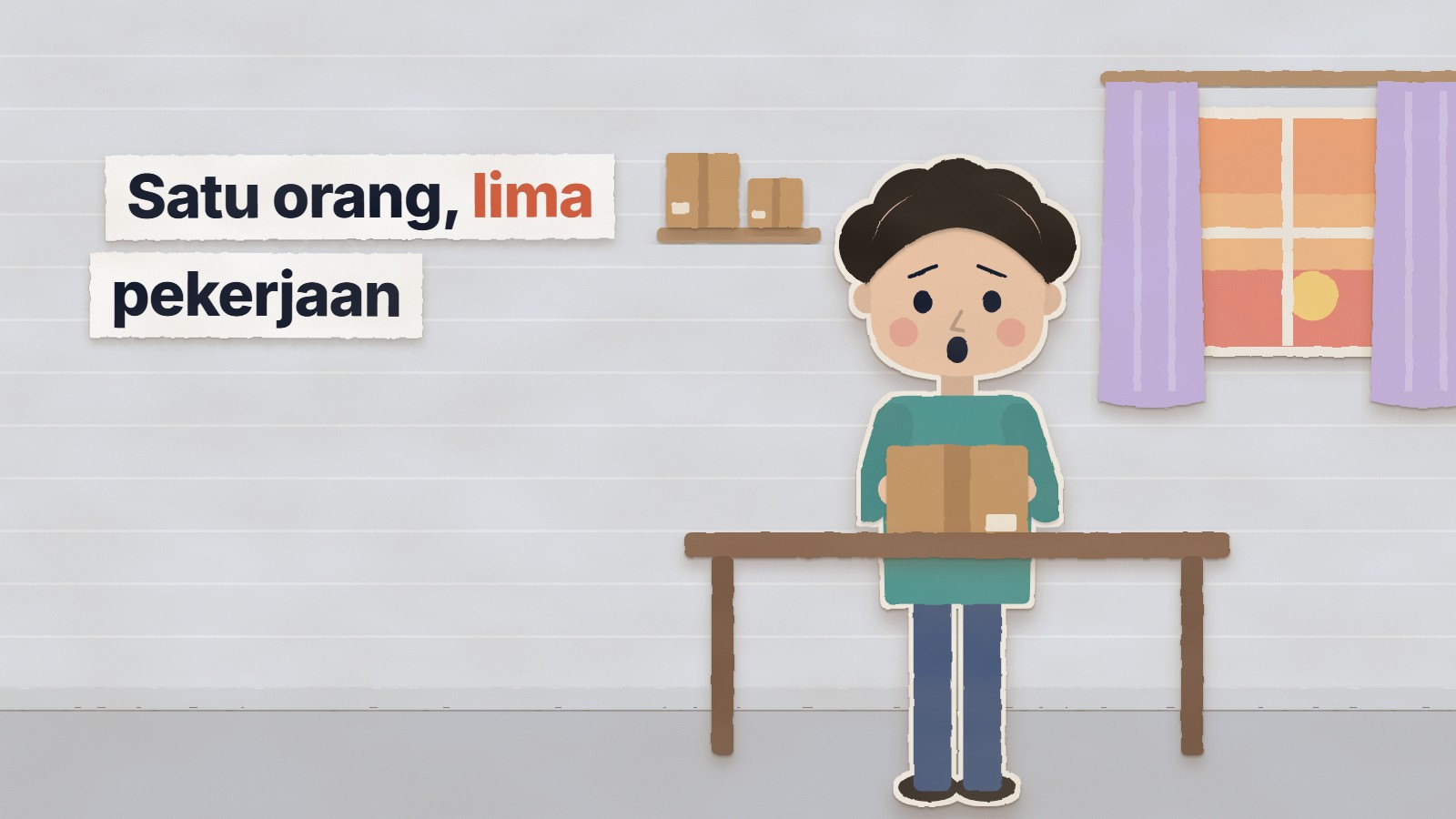
An online shop owner has just written their first job ad. On the back of a shipping slip they scribble a list of online shop admin tasks: reply to chats, record orders, check transfers, pack, ship, handle returns, post on Instagram, update stock. Eight lines, one job title: "admin". They stare at the list and realise they're looking for one person to do five jobs.
It happens all the time, and our view is this: "online shop admin" isn't one job. It's one name for many jobs, and AI is only suited to one of them: answering questions whose answers already exist. The rest needs hands, money, or a human heart.
This post takes that list apart honestly: what AI can help with, what it can't, and why we deliberately drew the line where we did.
An online shop admin is the person who is the shop's voice: answering prospective buyers, taking orders, and making sure orders reach their destination. In a small shop, the same person often also holds the money coming in, the warehouse and the Instagram account. That's why "what do they do" never has a single answer.
| Task | Can AI help? | Notes |
|---|---|---|
| Answering stock, size, material, shipping | Yes | From the knowledge you write: an FAQ, Google Sheets, website pages |
| Answering "where's my order?" | Yes, with conditions | Only through order lookups from one Google Sheet tab, and only for a verified buyer |
| Taking orders | Partly | The AI helps the buyer choose and notes their name and address. It never says an order has been created or paid |
| Checking transfer proof | No | Money is always a person. The AI doesn't verify payments |
| Packing and shipping | No | Hands-on work |
| Complaints, returns, refunds | Not the decision | The AI answers politely, then the chat moves straight to the team |
| Negotiating and reseller prices | No | Needs the owner's judgment |
| Posting content and ads | Not KIRA.id | We answer chats, we don't make content |
| Replying to chats on Shopee, Tokopedia, TikTok Shop | Not KIRA.id | KIRA.id doesn't read chats inside marketplace apps |
We wrote the last two rows plainly so nobody ends up disappointed. For marketplace buyers, the honest route is to invite them to a channel you own, such as your web chat link, and that's something you can set up.
Stock, size and shipping questions get asked dozens of times a day, and the answers are already in your notes. In KIRA.id, the AI answers them from the knowledge you write, and if the answer isn't there, it says so and passes the chat to the team. It doesn't guess.
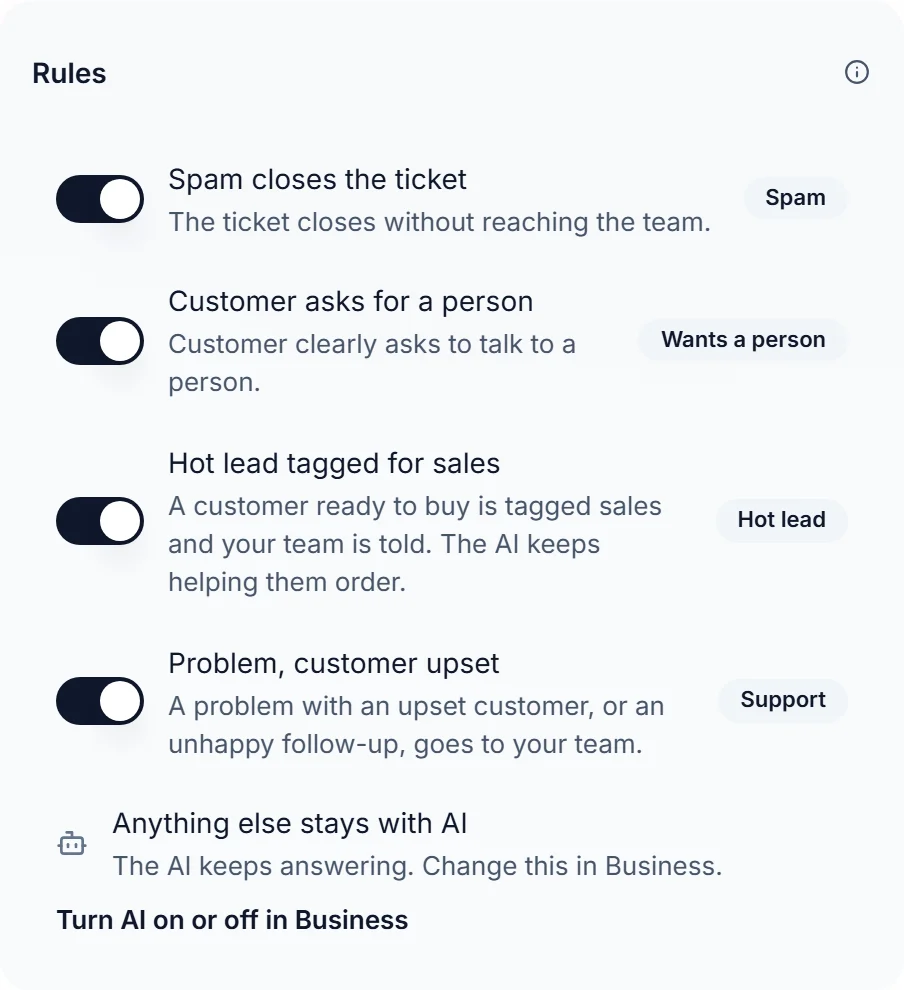
For tracking questions there's one rule we don't negotiate: the AI only shows an order to its own buyer. You connect one Google Sheet tab of orders, choose the columns, and the AI reads the row whose WhatsApp number or email exactly matches the verified customer. An order number alone is never enough. KIRA.id only reads that sheet and never changes it. The steps are in the Order lookups guide.
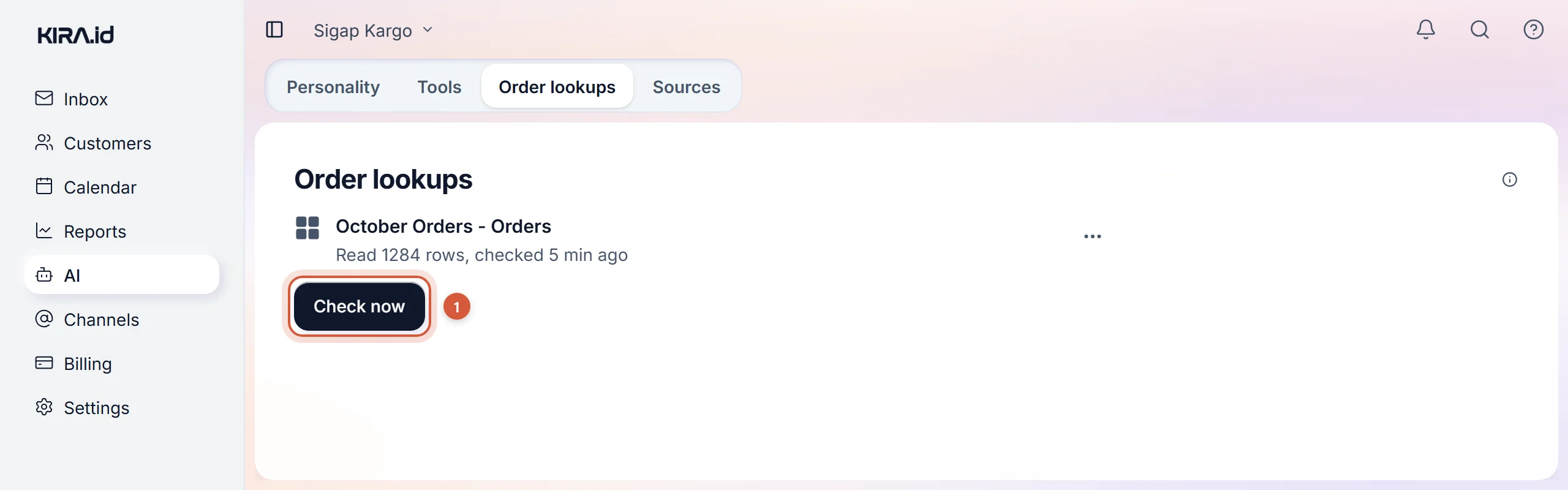
We dislike chatbots that hold customers in a loop of "sorry, I don't understand". So there are five handoff rules in Settings > Routing, on the Rules card: spam is closed, a customer who asks for a person goes straight to the team, a hot lead is tagged for sales, a problem with an upset customer is answered and then passed to the team, and everything else is answered by the AI. The chat moves to the team right away, with no button and no "shall I connect you?". The first four have a switch, so you choose which ones are on.
Beyond those, the AI also passes the chat to the team when a customer asks about payment or wants to change or cancel an order: the AI answers first, then the team checks. You can see the result in the Inbox.
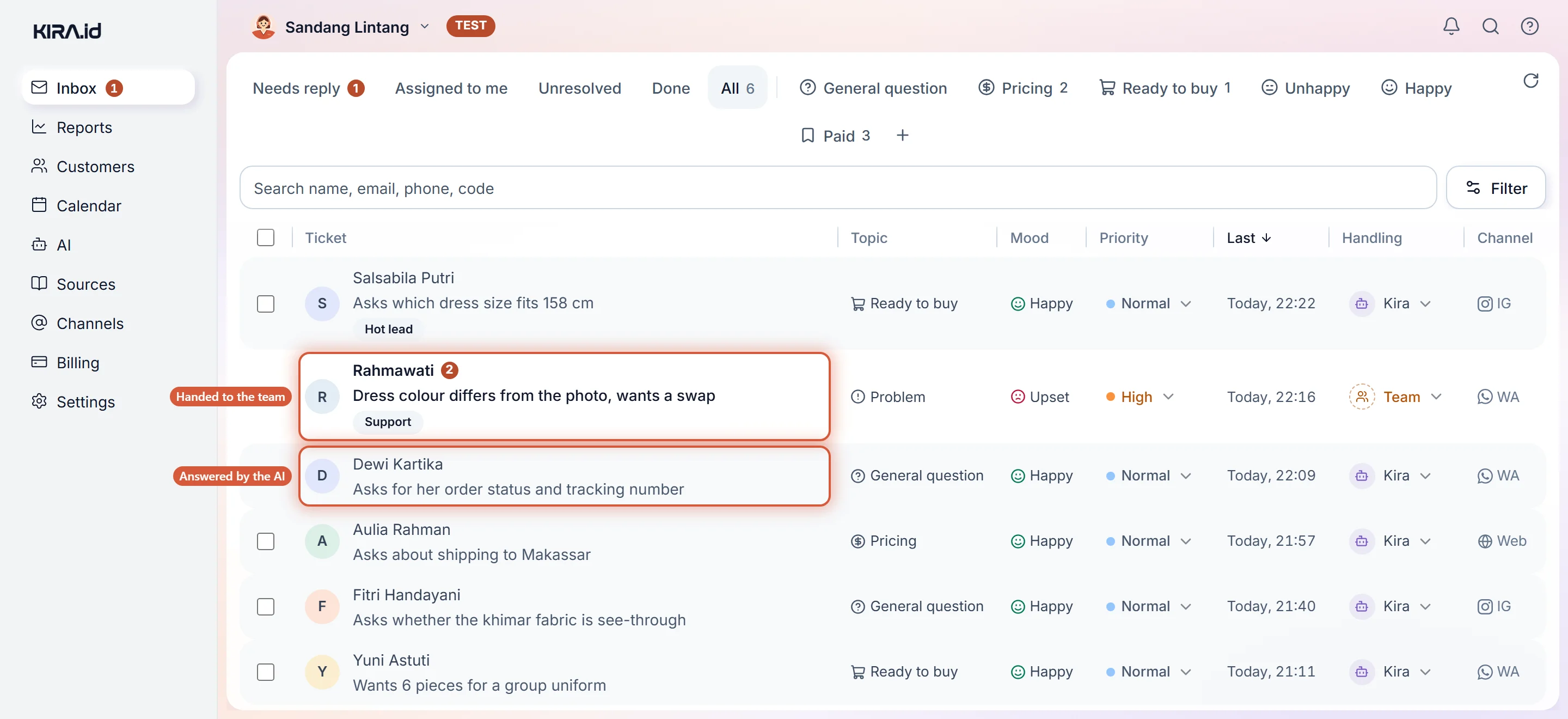
Look at the two highlighted rows in that example: the complaint about a dress in the wrong colour was handed to the team, while the order question was answered by the AI. The owner doesn't have to read everything to know which one needs them this morning. The full reasons a ticket reaches a person are in the Handoff rules.
| The admin does everything | The admin with AI in front | |
|---|---|---|
| Stock and shipping questions | Retyped every day | Answered by the AI from knowledge |
| Night chats | Wait for morning | Answered by the AI if the answer exists |
| Time for complaints | What's left after the light chats | Focused, because the light ones are done |
| Transfer proof | The admin | Still the admin |
| The pile when the admin is off | Waits | The AI keeps answering, money matters wait for a person |
These are made up.
A fashion shop. The AI answers size and material. The admin holds transfer proof and returns, and opens the Hot lead tag first each morning.
A kitchenware dropshipper. Lots of tracking questions. The owner connects one Google Sheet tab of order records, and "where's my parcel?" gets settled without an admin.
A cosmetics shop. "Is it good for sensitive skin?" is answered only from what's written in the product description. Anything beyond that is passed to the team, not guessed.
Answers prospective buyers' chats, records orders, checks payments, handles shipping, and deals with complaints. In a small shop, often content and stock tracking too.
For simple questions, yes, and it answers all night. For complaints, money and returns, you still need a person. The cost comparison is in online shop admin salary vs the cost of AI.
It can, if you connect one Google Sheet tab of orders and the buyer is verified. See WhatsApp tracking answers without an admin on call.
When what's left after the AI answers is judgment, not repetition. We cover that in hiring your first customer service rep.
Take a slip of paper, write every admin task, and mark them: repetitive and written down, or needs a person. The first can be answered by the AI; the second is human work worth paying well for. If you'd like to try it in your shop, contact us, or start with the Handoff rules guide.