English
English
How many customer service agents does a small business need? A simple sum from chat volume, minutes per chat and opening hours, a worked example, and what AI changes.
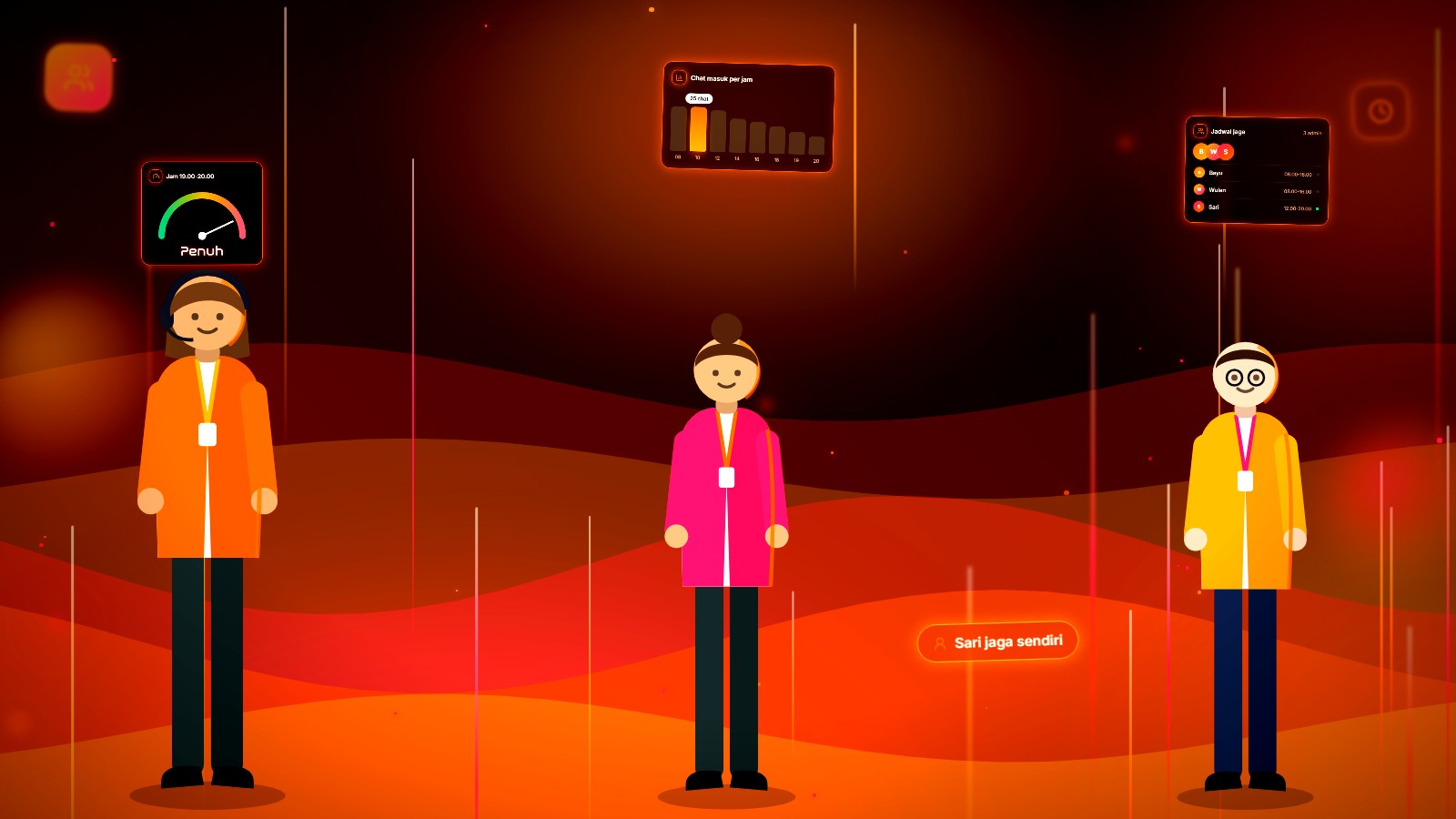
The number of customer service agents you need is the larger of two sums: chat workload and hours of cover. Workload: chats per week times working minutes per chat, divided by 60, then divided by about 24 effective chat hours per agent per week. Cover: opening hours per week divided by about 28 hours an agent is actually available. Round up, then check your busiest hour.
Sunday night after a payday sale. The owner of an online skincare shop opens WhatsApp and sees 63 unanswered chats. Both admins have gone home, both worn out. The same question comes back, as it does every month: hire one more person, or two? Or is the team big enough, and the schedule is just wrong?
Here's our view: most small businesses hire support staff on the feeling of being swamped, when the number that matters takes ten minutes to work out. And often what's missing isn't people, it's hours of cover. A third admin who works the same shift as the other two does nothing for the 9 p.m. chats.
You calculate support staffing from four numbers: chats per week, working minutes per chat, opening hours per week, and chats in your busiest hour. You can collect all four yourself in one week.
| Number | What it means | How to get it |
|---|---|---|
| Chats per week | New conversations in an ordinary week | Count from your inbox or reports, not a sale week |
| Working minutes per chat | Time an agent actually spends on one chat: reading, checking, typing | Time 20 chats with a stopwatch and average them |
| Opening hours per week | Hours when you want a person replying | For example 8 a.m. to 8 p.m. every day = 84 hours |
| Chats in the busiest hour | Chats arriving in your single busiest hour | Read a busiest-hours map, or count by hand for one week |
Then three formulas:
What you need is the larger of formulas 1 and 2, rounded up. Formula 3 isn't about how many to hire; it's about how many to schedule at once.
The 23.8 and 28 hours come from a 40-hour working week, reduced for time agents aren't available and for the gaps between chats, using industry averages common in contact centre planning.
So: 40 × 0.7 = 28 hours an agent is actually present and ready. Then 28 × 0.85 = 23.8 hours of realistic chat work per agent per week. Adjust them to your team; just know where they come from.
The more precise method for large teams is Erlang C, a queueing formula the Danish mathematician A.K. Erlang developed in 1917 for telephone exchanges. For a team of two to five people, the three formulas above are accurate enough, and much easier to check.
This example is made up, with round numbers so it's easy to follow. An online skincare shop answers chats from 8 a.m. to 8 p.m. every day and wants one person replying at all times.
| Step | Example figure | Result |
|---|---|---|
| Chats per week | 1,400 (about 200 a day) | |
| Minutes per chat | 3 minutes | |
| Workload | 1,400 × 3 ÷ 60 = 70 hours ÷ 23.8 | 2.94, rounded up to 3 agents |
| Opening hours per week | 12 hours × 7 days = 84 hours | |
| Cover | 84 × 1 person ÷ 28 | 3 agents |
| Chats in the busiest hour | 25 chats, between 7 and 8 p.m. | |
| On shift in the busiest hour | 25 × 3 ÷ 60 = 1.25 ÷ 0.85 | 1.47, rounded up to 2 at once |
The answer: three agents, scheduled so that two are on together in the busiest hours, around 7 p.m. If this shop has two admins who both start at 8 a.m. and leave at 4 p.m., the overwhelm isn't because they're not good enough. The schedule leaves four hours with nobody on, right at the busiest time.
A customers-per-agent ratio misleads because what loads an agent is the number and length of chats, not the number of customers. A thousand customers of a phone-credit shop who rarely ask anything are nothing like a hundred aesthetic clinic patients who ask detailed questions before every treatment. We couldn't find a single ratio with a source we'd stand behind for small businesses in Indonesia, and we won't invent one. Count from your own chats.
Minutes per chat is the time an agent actually works on one chat, not how long the conversation lasts from start to finish. A customer who replies two hours later doesn't make your admin work for two hours.
The simplest way: have an admin time 20 ordinary chats in one day, from opening the chat to sending the reply, including checking stock or tracking numbers. Add up the sessions per chat, then average. A shipping question might take one minute, a damaged-item complaint ten. That average goes into the formula.
The signs of too few agents differ from the signs of a bad schedule, and so does the fix. Read the symptom before you hire:
| Symptom | What's usually short | What to do |
|---|---|---|
| Slow all day, every day | Workload is above capacity | Add people, or cut the chats that need a person |
| Slow only at certain hours | People on at those hours | Move shifts before hiring |
| Evening chats answered next day | Hours of cover | Add cover, or let AI answer after hours |
| Slow only during sales or Lebaran | Seasonal capacity | Plan a special roster, don't hire for the peak |
| Admins always on overtime, yet chats aren't many | Minutes per chat are too long | Write standard answers for the most common questions |
Pile-ups show in the numbers too: reading reply time with the median helps you tell a slow team from an empty hour. For the morning backlog, there are practical steps in WhatsApp chats piling up every morning.
AI changes two numbers in the formula: workload drops by the chats the AI resolves on its own, and hours of cover can shrink because the AI answers outside working hours. What doesn't change: chats handed to the team still need a person, within the reply time you've promised.
Back to the example. Suppose the AI resolves half the chats on its own (an example figure, not a promise: measure your own over four weeks), and the team only needs to be on from 9 a.m. to 5 p.m., Monday to Saturday:
| Without AI | With AI (example) | |
|---|---|---|
| Chat work hours per week | 70 hours | 35 hours |
| Agents for workload | 70 ÷ 23.8 = 2.94, so 3 | 35 ÷ 23.8 = 1.47, so 2 |
| Hours a person is on per week | 84 hours | 48 hours |
| Agents for cover | 84 ÷ 28 = 3 | 48 ÷ 28 = 1.71, so 2 |
| Agents needed | 3 | 2 |
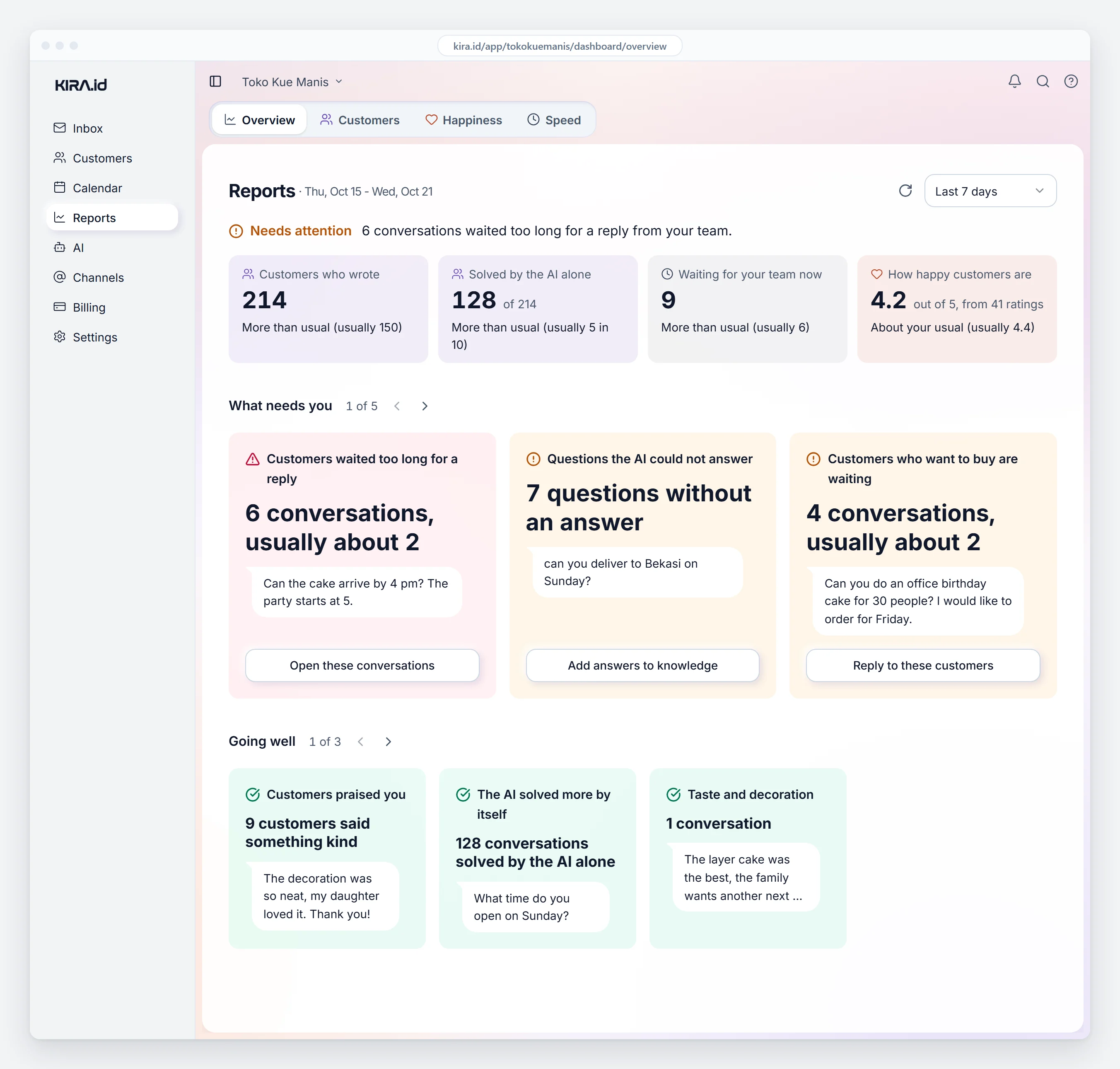
In KIRA.id, an Indonesian AI customer service platform for WhatsApp, Instagram, Messenger and web chat, you don't have to guess that "half". The Overview report shows Customers who wrote and Solved by the AI alone: conversations finished with no person taking over or replying. The definition is strict on purpose, so a chat the team helped with even a little doesn't count as an AI win (AI results and unanswered questions).
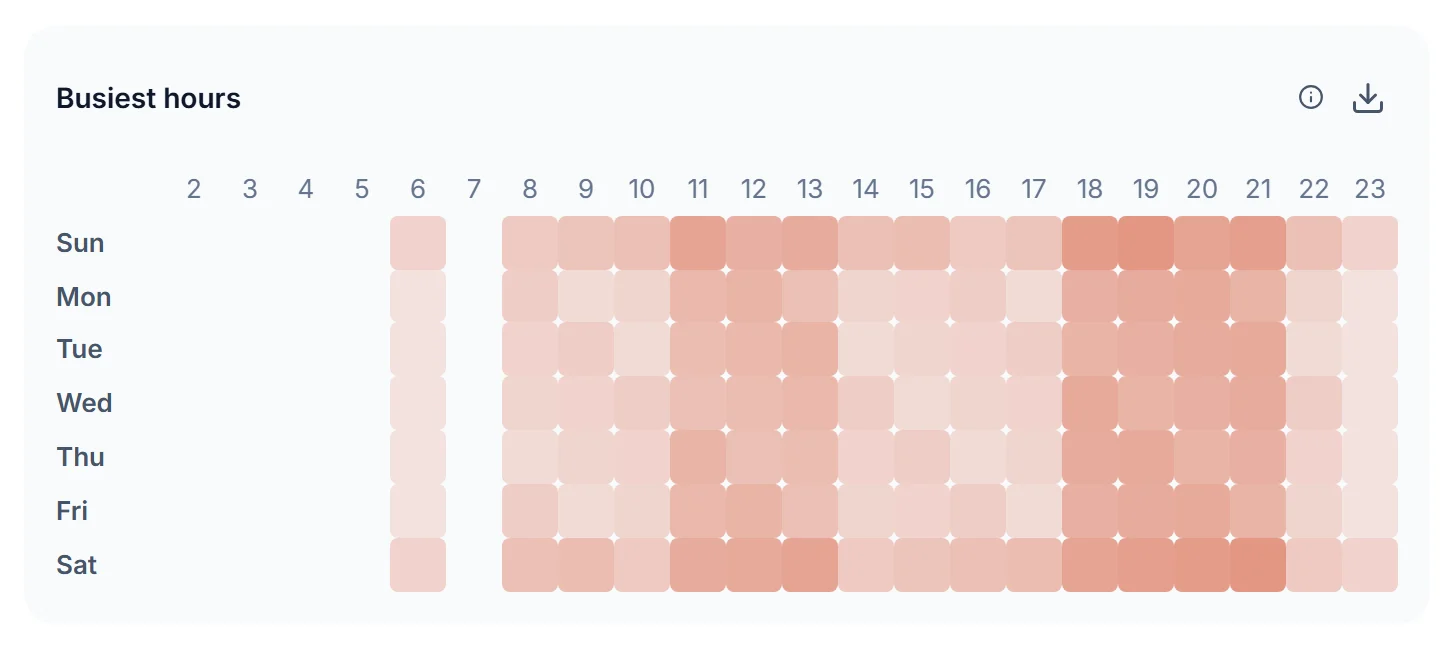
You don't have to count the busiest hour by hand either. On the Speed tab, Go deeper opens Busiest hours: incoming messages by day and hour, darker means busier (Speed report). The darkest cells are where your roster needs the most people.
Team hours are set in Business hours, and one reply time for every ticket in Response times. Outside those hours the AI keeps answering from your knowledge, and anything that needs a person waits in good order until the team is back. How to split nights and days between AI and team is in 24-hour customer service without overtime, and how the cost compares with an admin's salary is in AI customer service cost vs admin salary.
Want your own numbers before you decide anything? Sign in with Google, enter your business name, add one web page or FAQ, then ask your customers' most common question in Test AI. About a minute later you'll see the AI answering from your own business, with no demo, no sales call and no card. Connecting WhatsApp and going live takes about five minutes.
One honest warning: don't cut staff before you've measured. Run it for four weeks, read Solved by the AI alone and team wait times, then redo the sums. Refunds, exceptions and upset customers still need a person, and admins with more time can spend it on work that needs judgement. How to split roles in a small team is in Owner, Admin or Agent.
With the assumptions above (23.8 chat hours a week over five working days) and 3 minutes per chat, about 95 chats a day. At 6 minutes per chat it drops to about 48. That's arithmetic, not a standard: your minutes per chat decide it.
Only if your customers genuinely need a person at night, for emergencies, say. For questions about prices, stock and schedules, AI that answers from your business information is usually enough, and anything that needs a person can wait until morning with a clear promise.
Erlang C is a queueing formula from 1917 for working out how many agents it takes to answer most calls within a set time. Large call centres use it. For a team of two to five, the workload and cover sums in this post are enough.
Part-timers suit covering the busiest hours, such as 5 to 9 p.m., without adding people to the quiet ones. Run the busiest-hour formula first, then decide.
No, and we don't recommend trying. AI can answer questions whose answers are written down and keep chats covered outside working hours. Decisions, empathy when something goes wrong, and exceptions stay human work. The support tasks that still need a person are in customer service duties and skills.
KIRA.id is an AI customer service platform for businesses in Indonesia that answers customers on WhatsApp, Instagram, Messenger and web chat from the business's own knowledge, then hands over to the team when a person is needed. More on the about KIRA.id page.
Take one ordinary week, write down the four numbers, and run the three formulas. Those ten minutes might save you a salary, or prove that a third admin really is due. If you'd like your chat counts and busiest hours collected for you, read the Speed report guide. Or tell us about your business, and we'll work through the numbers with you.