English
English
WhatsApp chats piling up doesn't mean you work too little. Most ask the same thing. Here's how to sort them, answer automatically and calm your mornings.
WhatsApp chats piling up doesn't mean you're not working hard enough: it means repeat questions and urgent complaints land in the same queue. The way to shrink the pile is to pull the two apart. Let the AI answer questions already written in your business knowledge, including at night, and point people at upset customers, those who ask for a person, and money matters.
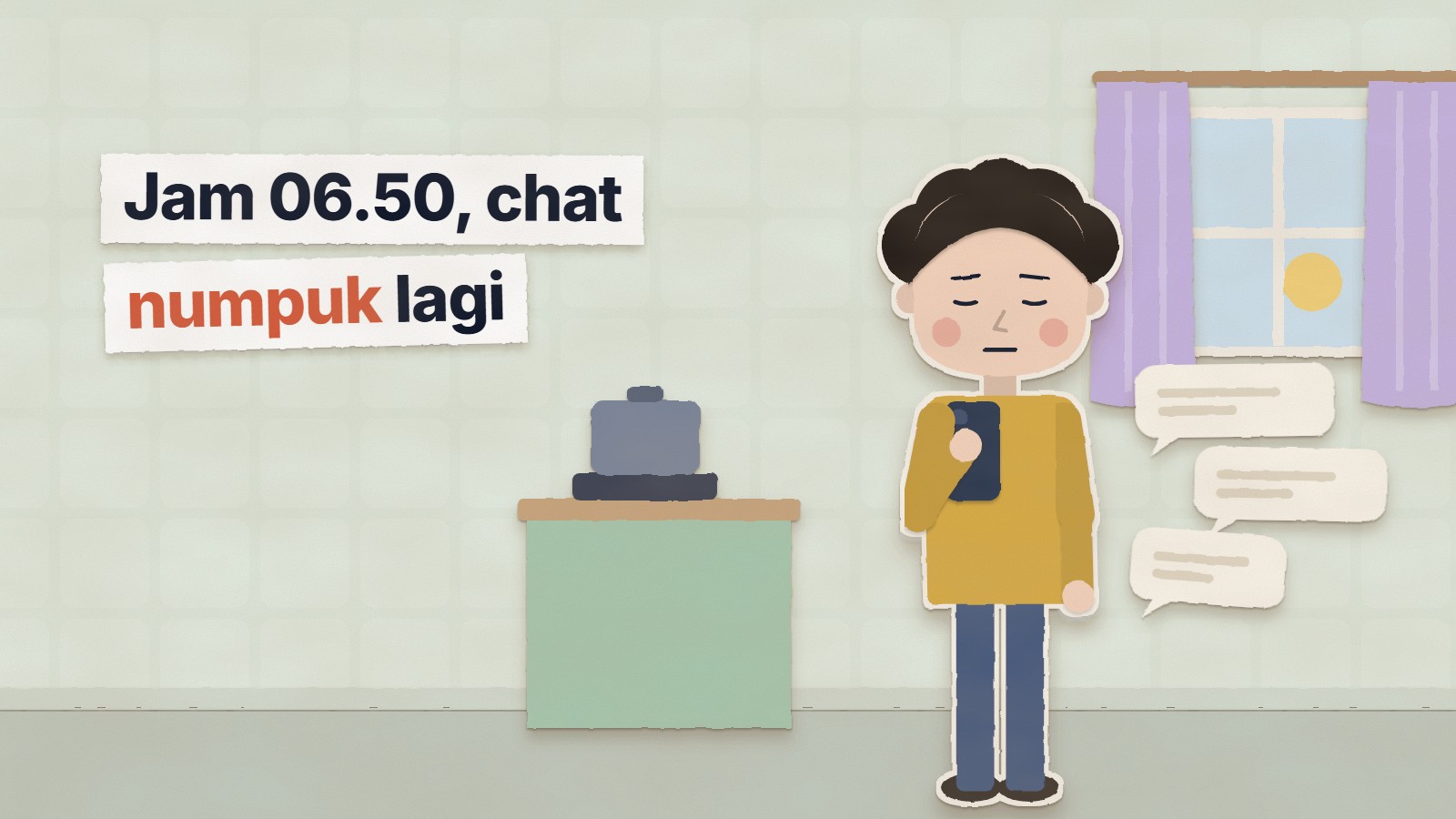
6:50 a.m. Your eyes aren't fully open and your thumb is already on WhatsApp. That little green number is waiting: WhatsApp chats piling up again. You scroll down, stop at one chat, forget why you opened it, scroll again. The coffee isn't even made and the morning already feels lost.
We hear small business owners describe mornings like this all the time, and our view is simple: WhatsApp chats piling up doesn't mean you're not working hard enough. It means you're doing two different jobs from one queue. "How much is shipping to Medan?" and "you sent the wrong item" arrive through the same door, so the easy and the urgent get buried together.
This isn't advice to wake up earlier. It's a way to pull those two jobs apart, so the pile only holds what truly needs a person.
Think of an ordinary morning. Most of what piled up overnight is a question you've already answered dozens of times: opening hours, shipping, stock, how to pay. The rest is small, and that's the dangerous part: the unhappy customer, the wrong order, the promise nobody kept.
Three things thicken the pile:
Replying faster just makes you more tired, not the pile smaller. What has to change is who reads first.
Customers expect a reply within minutes, not hours. In HubSpot's research, 90% of customers rated an immediate response as important or very important when they had a service issue, and to them "immediate" meant 10 minutes or less (HubSpot article, updated March 2025; the survey year isn't stated). That figure is global; we haven't found an Indonesian survey asking the same question.
So a chat sent at 11 p.m. and answered at 8 a.m. has missed that expectation long before you wake up. No admin can hold ten minutes through the night. What can: answers that are already written go out straight away, and everything else is told honestly when you open again.
In KIRA.id, an Indonesian AI customer service platform for WhatsApp, Instagram, Messenger and web chat, every new chat is read by the AI first. If the answer is in the knowledge you wrote (an FAQ, a price list in Google Sheets, pages from your website), the AI answers on its own, including at 11 p.m. If it isn't, the AI says so honestly and passes the chat to the team. We built it that way on purpose: an AI that guesses is more dangerous than one that says "let me check on that".
You can see the result in the Inbox. The first tab, Needs reply, only holds tickets waiting for a person. Chats the AI is handling aren't in it.
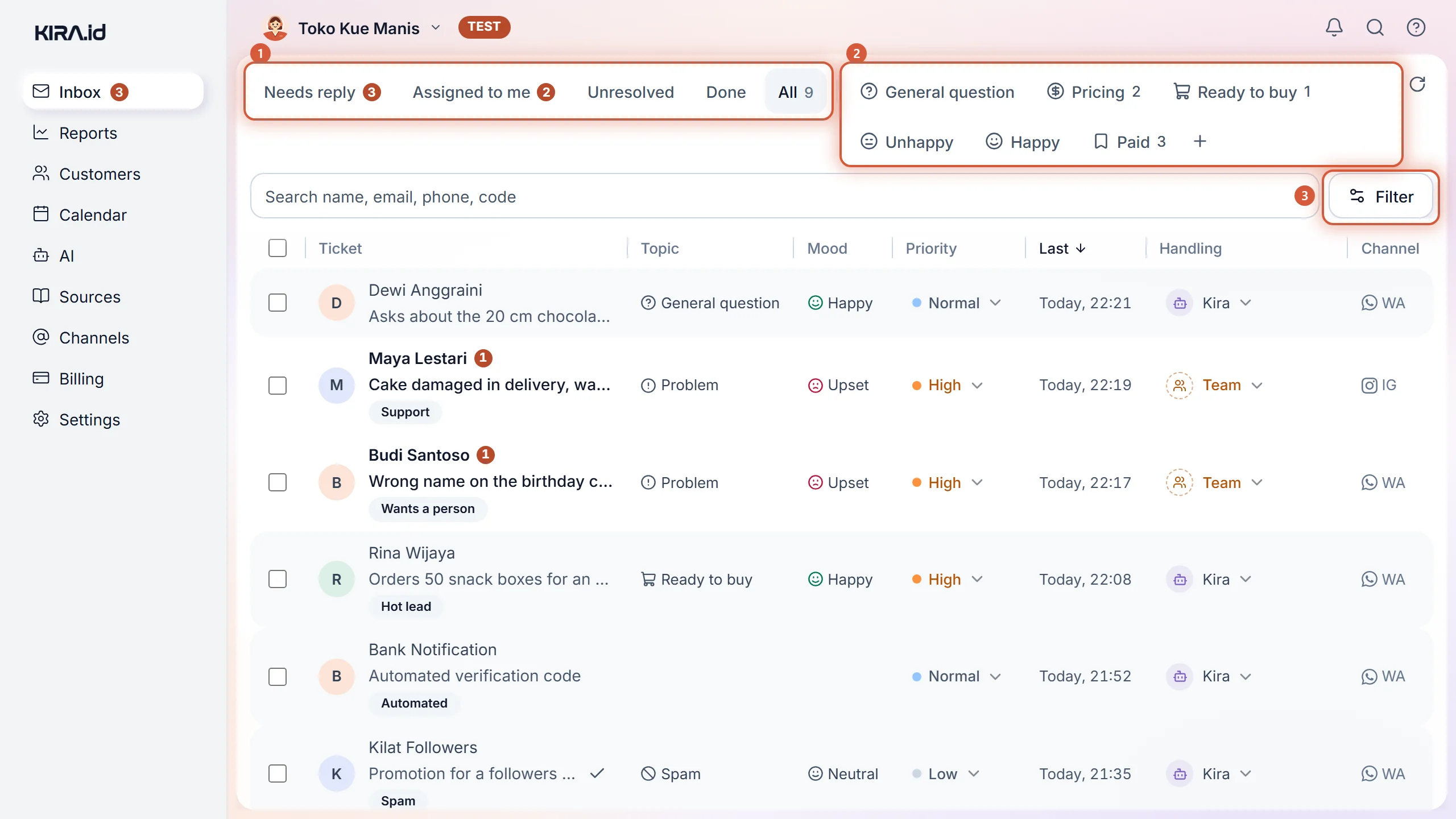
Look at the rows. Each one already carries the topic (Problem, Pricing, Ready to buy) and the mood (Upset, Happy) the AI read, and the Handling column shows who holds it: Kira (the AI) or Team. One glance answers three questions: who's waiting, what do they want, how do they feel. The Unhappy chip above the list opens a list of its own: the people who most need calming this morning.
There's one small moment we love: you sit down with your coffee, the Needs reply list is short, and the rows in it really are the ones worth your attention.
A customer who is upset or asks for a person isn't held by the AI. The AI answers what it can, then the ticket goes straight to the team, without the customer having to ask twice, with a tag such as Wants a person, and its priority goes up. The full rules are in the Handoff rules guide.
| One queue in WhatsApp | The KIRA.id inbox | |
|---|---|---|
| A chat at 11 p.m. | Waits until morning | Answered by the AI when the answer is in your knowledge |
| An upset customer | Buried among other chats | Answered, then passed to the team |
| The same question again | Retyped, again and again | Answered by the AI from one source |
| Who's handling it | Unclear, easy to double-reply | One holder per ticket |
| What to read this morning | Everything | The Needs reply tab |
Sort chats by who is best placed to answer them: the AI for anything whose answer is already written, the team for anything that needs judgment or money, and the rest can wait for working hours as long as the customer knows when they'll hear back. This table is our starting point; adjust it to your business.
| Kind of chat | Example | Who answers | When |
|---|---|---|---|
| Fixed info | Opening hours, address, how to pay | The AI | Straight away, nights included |
| Price and stock that's on your list | "Is size L in stock?", "Shipping to Medan?" | The AI, from your price list or Google Sheet | Straight away |
| How to order | "How do I order?" | The AI | Straight away |
| A question whose answer isn't written yet | A new product not in your sources | The AI says so, then passes it to the team | The team, in working hours |
| An unhappy or angry customer | "You sent the wrong item" | The team, after the AI responds and passes it on | First thing in the morning |
| Asking for a person | "Can I talk to an admin?" | The team | As soon as working hours start |
| Money matters | Proof of transfer, refunds, compensation | The team | In working hours, never left longer |
| Exceptions | A special discount, a date change outside the rules | The team or the owner | Can wait for working hours |
| Partnership and vendor offers | Endorsements, suppliers, partnerships | The owner | Can wait a few days |
"Can wait" doesn't mean ignored. In KIRA.id, a customer handed to the team outside your business hours is told when you open again, so the wait feels like a promise, not like being forgotten.
The number of admins you need is set by the chats that truly need a person, not by every chat that comes in. So count after repeat questions are answered automatically, using three numbers from an ordinary week:
Admins needed = (chats that need a person × minutes per chat) ÷ effective minutes per admin, rounded up.
A worked example with made-up numbers: 50 chats a day that need a person, about 6 minutes each, is 300 minutes of work. If one admin has about 300 effective minutes for chat, one admin covers an ordinary day, but there's no room left for a busy day or leave, so plan who steps in.
Chats don't arrive evenly either. Look at the Busiest hours map in Reports › Speed › Go deeper (The Speed report): if the peak falls after you close, what you need may be more complete automatic answers, not a night-shift admin. To see whether your current team is fast enough, open Your team's reply speed.
These are made up, to help you picture it, not real customer results.
A cake shop in Bandung. Night-time questions are almost all about sizes and pickup dates. Once the answers are written, what waits in the morning is mostly customers who want to change an order.
A dental clinic with two chairs. The thickest pile falls on Monday morning. The AI answers opening hours and general procedures from the clinic's information, and a question whose answer isn't written yet is offered to the staff.
A hobby supply shop. Reseller buyers ask the same things over and over. In the morning the owner opens the Ready to buy chip first, because that's the closest to money.
Usually because every kind of chat lands in one queue, and repeat questions eat the time meant for chats that need attention. Separate the two: let answers already in your knowledge be answered automatically, and point people at the rest.
Prepare the knowledge before the promo: terms, dates, shipping, stock. When chats surge, the AI answers what's written and the team focuses on what's urgent. See also preparing for the Harbolnas chat surge.
Mostly, as long as they're repeat questions. What needs judgment, empathy or money still goes to a person, so look at what's left in Needs reply after a week before you decide to hire. How to count it is in how many customer service admins do I need.
As fast as you can in working hours. HubSpot's research found that to customers, an "immediate" response means 10 minutes or less. Outside working hours, what matters is that the customer gets the written answer straight away, or is told when you open again.
Yes. KIRA.id supports the official WhatsApp API with coexistence, so the app on your phone stays in use. See WhatsApp coexistence: app and API together.
You don't have to change everything at once. Write ten answers, test them, and tomorrow check whether the Needs reply list feels lighter. If you'd like company along the way, talk to us. For how a team keeps a daily rhythm, read 24-hour customer service without overtime.