English
English
A reseller price list sent as a PDF goes stale and starts arguments. Keep it in one Google Sheet that the AI quotes exactly, complete with wholesale tiers.

"Why is the price different? I've got a screenshot right here." Then an image arrives: a cropped reseller price list PDF, sent to the group three months ago, with prices that have gone up twice since. You take a long breath. You know this conversation will drag on, and whoever wins, the relationship with that reseller gets a small scratch.
Our opinion: a reseller price list sent as a file is a time bomb. Every PDF you send is a version you can never take back. A healthy price list has exactly one home, and every answer quotes that home.
This guide shows how: one Google Sheet, laid out so the AI in KIRA.id can quote it exactly every time a reseller asks "what's the wholesale price?"
Too many versions. A PDF in the group, an image on a status, a note on the admin's phone, numbers in the owner's head. Every reseller holds a different one.
Prices change, files don't. The moment the factory price goes up, every old file is wrong, and they all keep circulating.
The same questions, typed again. "What's the minimum for the reseller price?", "If I take 50 pieces, which price do I get?", "Which one's cheapest?" The admin answers from memory, and memory is sometimes off by a digit.
This rarely gets said out loud, so we'll say it. Knowledge sources in KIRA.id are read for every customer who asks. The AI doesn't know who is a registered reseller and who is chatting for the first time. So:
We prefer wholesale prices tiered by quantity. The rule is clear to everyone, nobody feels treated differently, and the AI can answer without guessing who it's talking to.
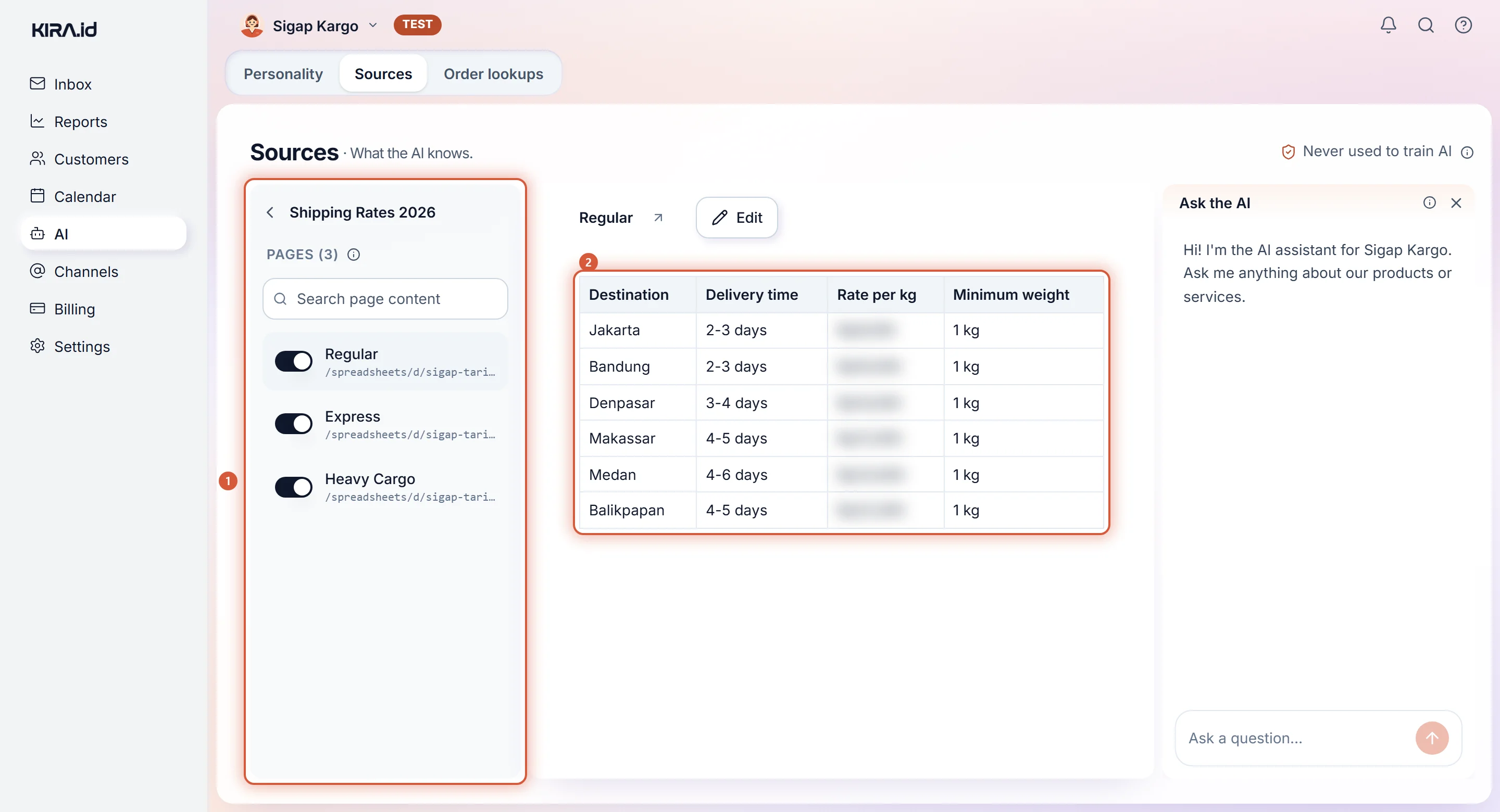
The picture above is a rate sheet from a made-up cargo company, but the structure is exactly what you need: tabs become pages (1), and the table shows the way the AI reads it (2).
That short wait is on purpose: no half-finished price goes out while you're still typing. The full walkthrough is in Google Docs, Sheets and Slides and price lists for the AI.
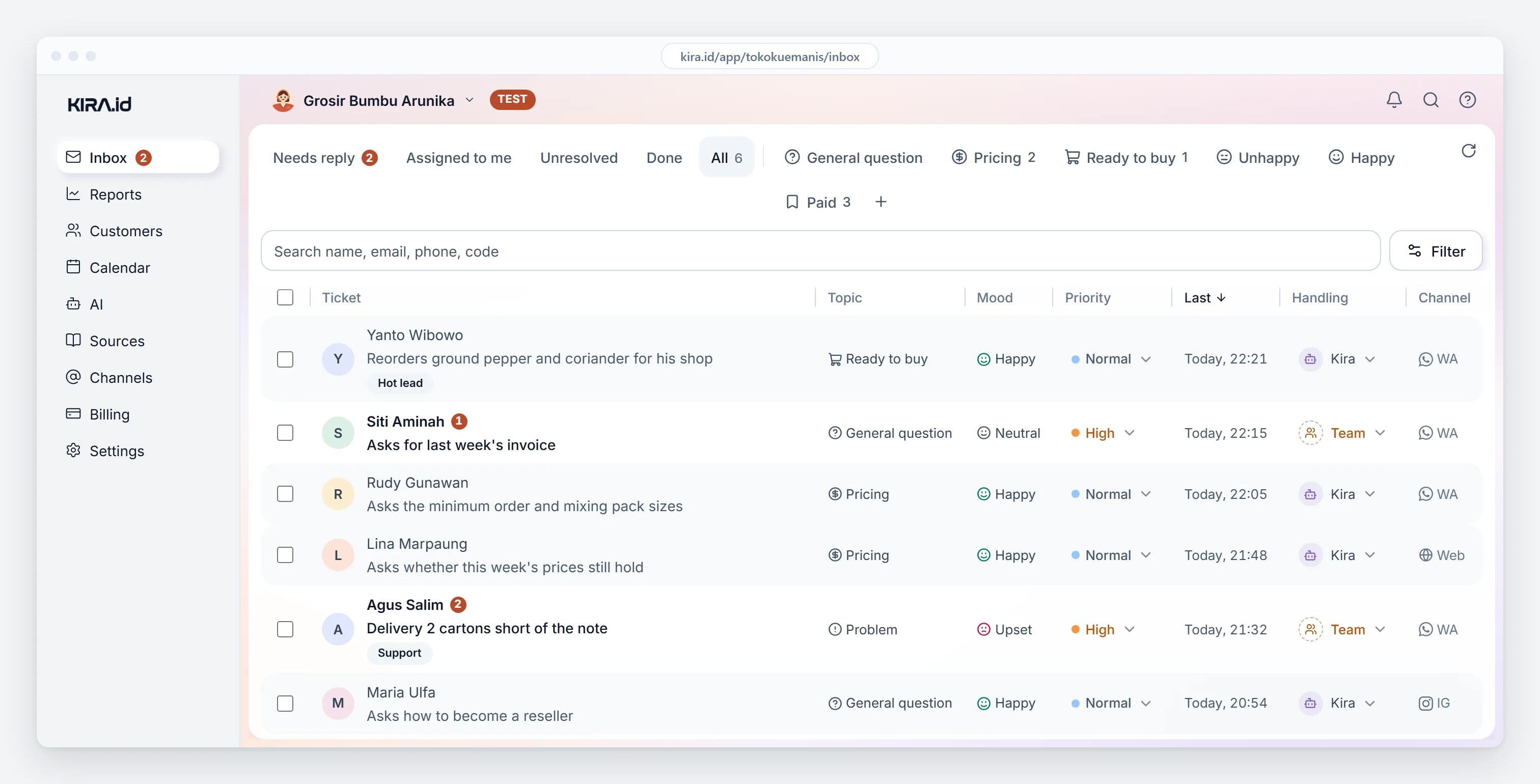
This is the inbox of Grosir Bumbu Arunika, a made-up distributor. Look at the two rows with the Pricing topic: the wholesale minimum and this week's price list, answered by the AI with numbers from the Sheet. The rows about an invoice and a short delivery wait for the team. That's the split we want: numbers from the Sheet, money and trust with people.
| PDF in the group | Image on a WhatsApp status | Google Sheet in KIRA.id | |
|---|---|---|---|
| Versions in circulation | Many, can't be recalled | Gone in a day | One |
| Prices go up | Every old file is wrong | Upload again | Change the Sheet, the AI follows |
| "If I take 50, which price?" | Reseller works it out | Not answered | Quoted from the row and its condition |
| Cost prices | Sometimes sent by accident | None | In a hidden tab, never read |
| 11 pm | Admin asleep | Admin asleep | Answered |
It depends on your shop. Many use "reseller" for small quantities bought to resell, and "wholesale" for large ones. What matters is that the rules are written clearly in the Sheet.
No. Sources are read for every customer. If the price is secret, keep it out of your sources.
Don't count on it. The AI quotes unit prices and their conditions from the Sheet, and every price in a reply is checked against the source. The final total and the invoice stay with your team.
No. KIRA.id doesn't broadcast. A reseller who asks always gets the latest version.
Move one product group into a Sheet, connect it, and test it in Ask the AI. Once the answers are exact, move the rest. The broader story of Sheets and chat is in Google Sheets and WhatsApp: keep your price list fresh, and the distributor flow is in keeping reseller WhatsApp orders together and the distributors and B2B wholesale guide. Want a hand laying out your Sheet? Get in touch.