English
English
How much is a gym membership, can I freeze it, how do I cancel? KIRA.id's AI answers members on WhatsApp from your rules, and passes billing questions to your team.
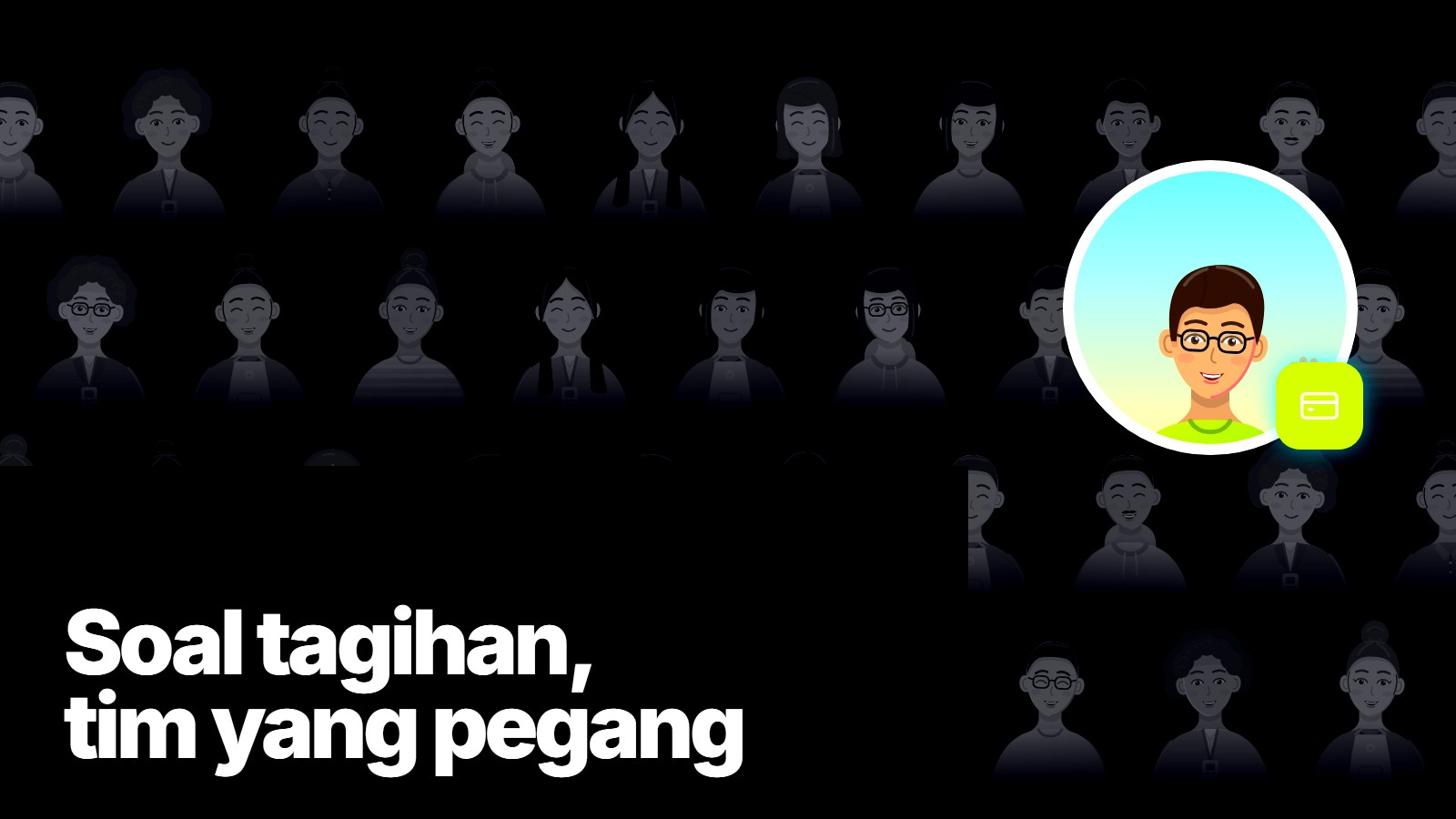
January 2nd, 6:15 p.m. Your receptionist is scanning member cards one by one, the queue reaches the door, the spin class music carries all the way to the front. On the desk, the gym phone won't stop buzzing. "How much is a gym membership per month?", "Any New Year promo?", "If I'm away for work for a month, can I freeze it?", "How do I cancel?".
Everyone with a New Year's resolution writes at the same hour. And that kind receptionist has only two hands.
Our position: gym membership questions are retention questions, not just price questions. A prospect asking the price is deciding whether to start. A long-time member asking how to freeze is deciding whether to come back. Both deserve a quick, clear, honest answer, including about how to cancel.
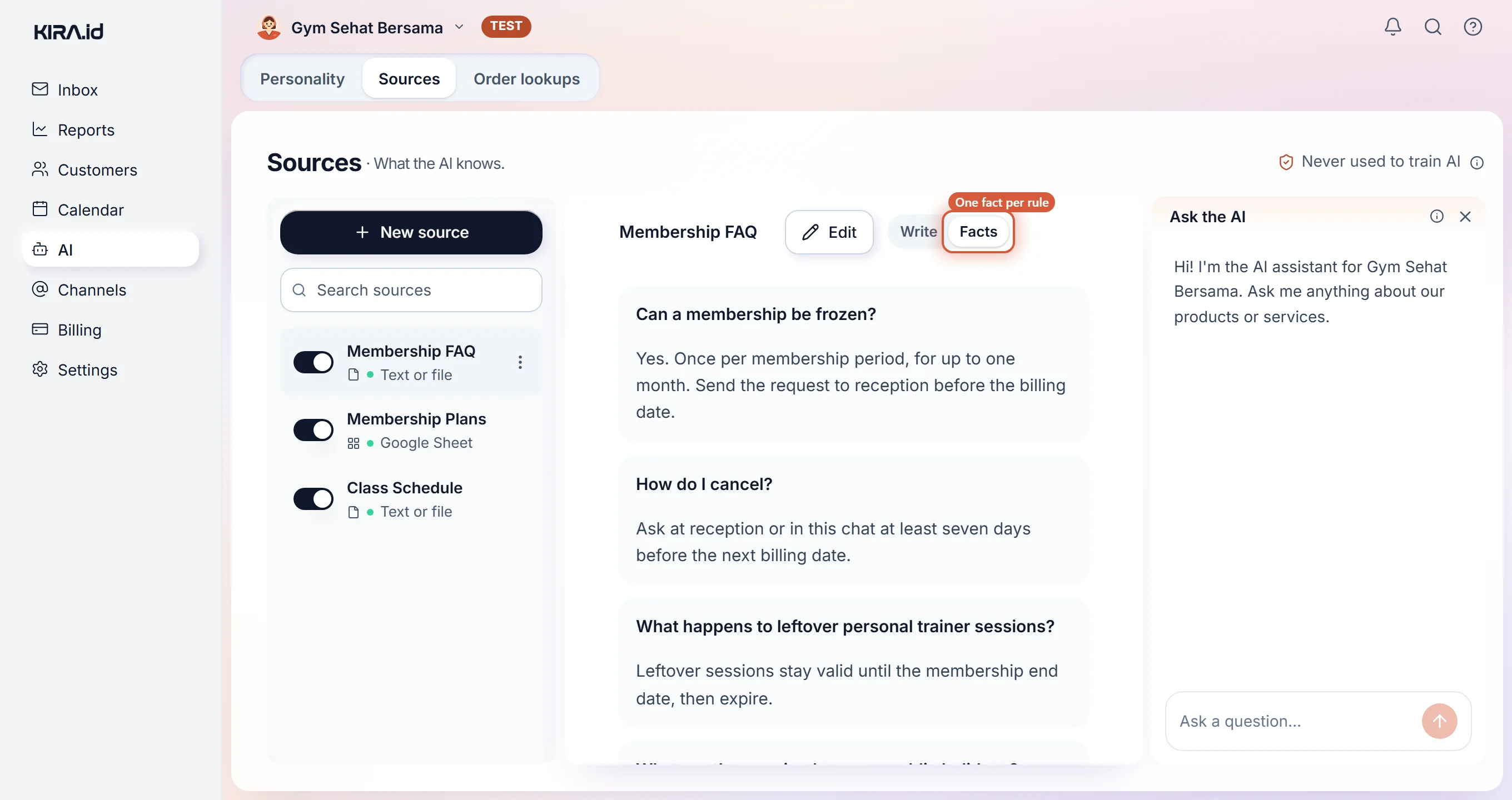
That picture is a gym's own FAQ in the Facts view. Write one question per rule: what each package costs, what's included, how to freeze and for how long, how to cancel, what happens to leftover personal training sessions, opening hours on public holidays. Package prices can sit in a Google Sheet so they're easy to update when the promo changes.
From then on, every AI answer quotes your rules. Not the morning receptionist's or the evening one's, but the one version you wrote. Before a reply is sent, every price and number in it is checked against your sources, so the AI can't "promise" a promo that never existed. How to set it up is in Facts: questions and answers.
"How much is a gym membership?" rarely has one answer. Monthly, three-month, annual, student, with or without classes. A long list in one chat bubble is tiring to read.
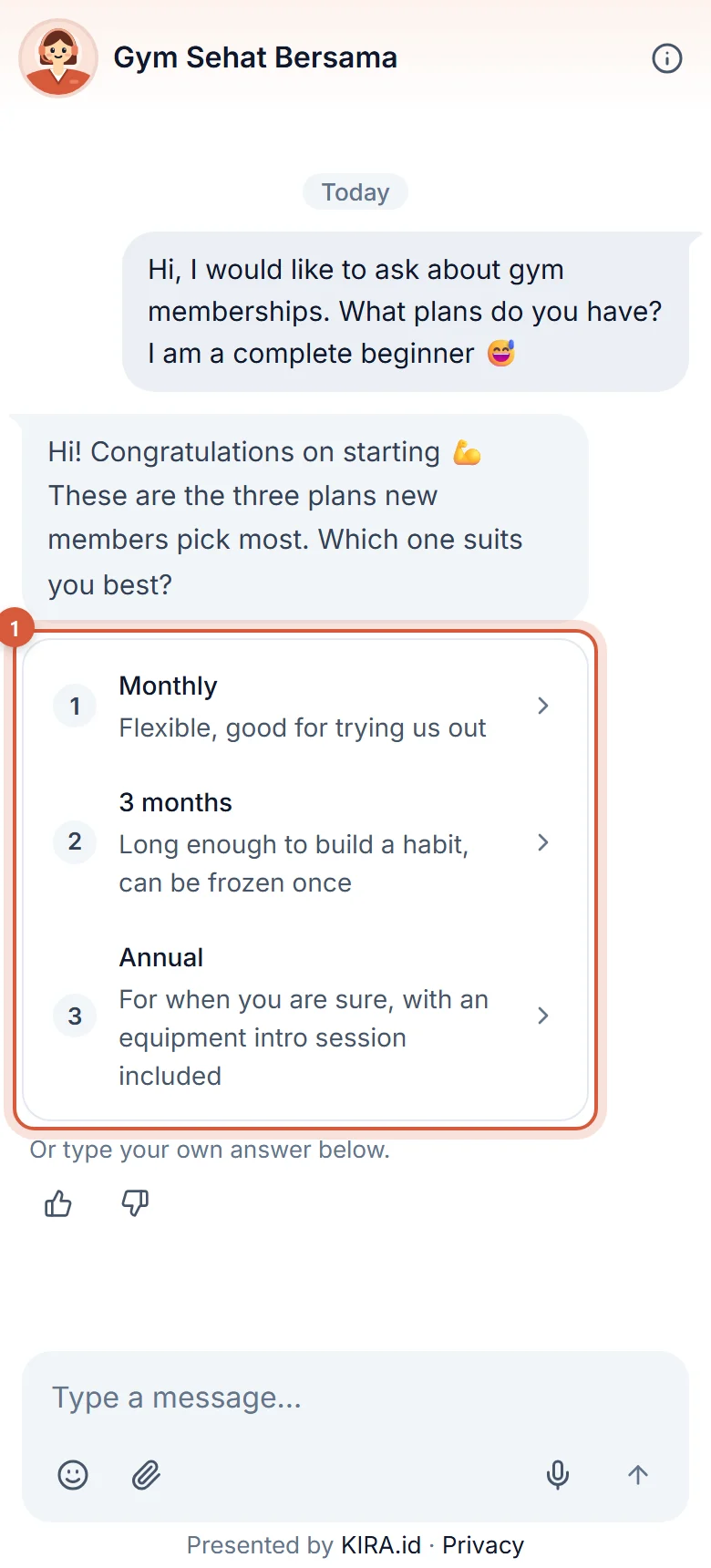
In the picture: three numbered options, each with the plan's name and one sentence on who it suits. The prospect taps one and the AI explains the details from your sources. Or they type "what if I only train in the mornings?", and the AI reads it like any message. See Choices and quick replies.
For intro sessions or personal training, switch on AI booking in Calendar. Free times show as buttons, and the appointment lands in the gym's calendar. For trial classes, switch on Send a short form under Settings › AI, and the team confirms the spot.
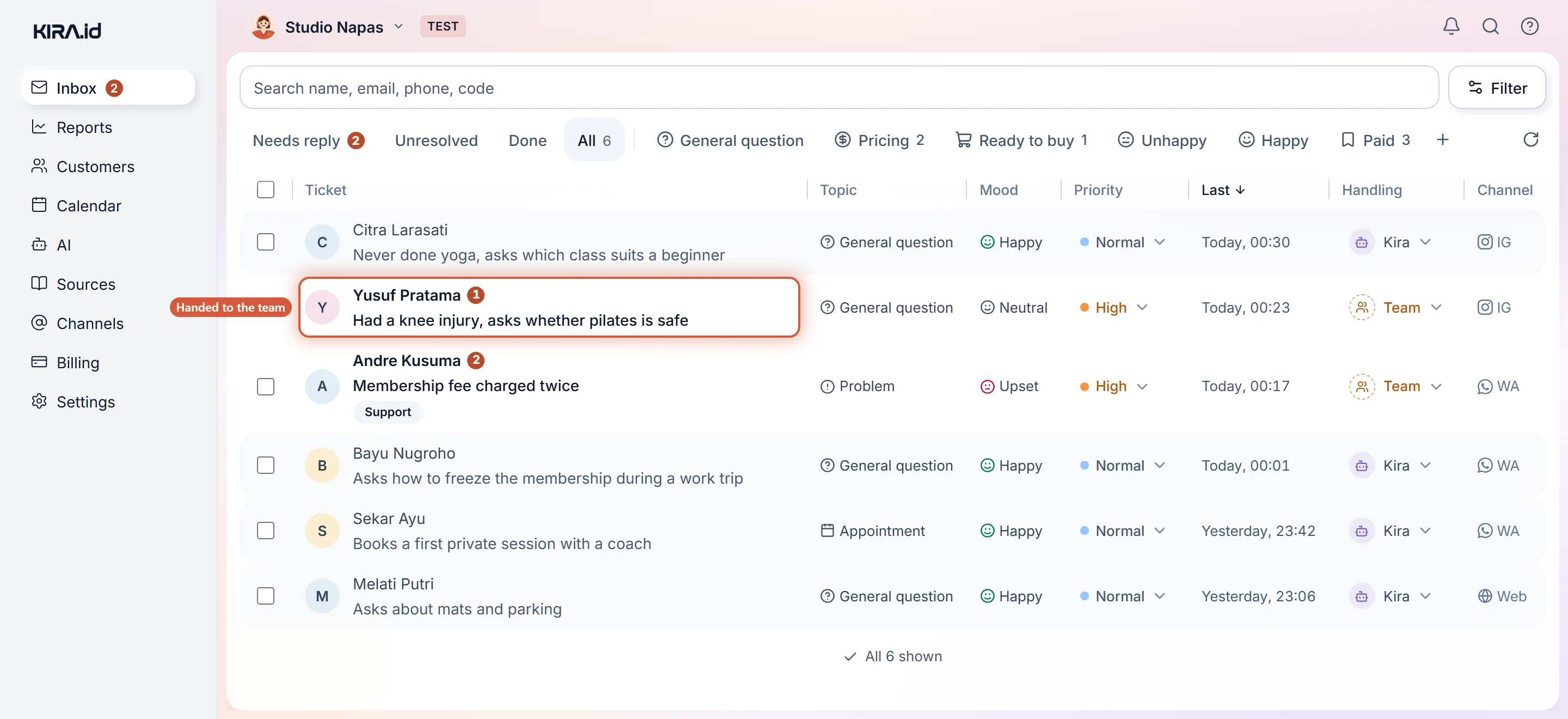
Look at two rows with different fates. "Can I freeze my membership?" is answered by the AI from the FAQ, and the chat stays with the AI. "Why was my card charged twice this month?" has the topic Problem, the mood Upset, and goes straight to the team through the Problem, customer upset rule, where it waits to be picked up. The AI never checks payments, and questions about someone's billing it always passes to a person. How the rules work is in Handoff rules.
Your own member data, such as when someone's membership expires, isn't read from your gym software. If that data lives in a Google Sheet, the Read your Google Sheets and Docs tool only shows a customer their own rows, matched on a verified number or email. Otherwise, questions like that are answered by the team.
| Receptionist on WhatsApp | Gym software or member app | KIRA.id | |
|---|---|---|---|
| "How much is a gym membership?" at 11 p.m. | Tomorrow morning | No, it isn't a chat | Right then, from your price list |
| Freeze and cancellation rules | Depends who's on shift | In the system, rarely explained | Quoted exactly from your FAQ |
| Check-ins, cards, automatic billing | No | Yes, it's what it does best | No |
| Booking personal training | Back and forth | Depends on the app | Free times as buttons |
| An upset billing complaint | Depends on the shift | No | Passed to the team, marked Problem |
Gym software and KIRA.id aren't competing. The software looks after members who are already inside. KIRA.id looks after the conversations that bring people in, and the ones that keep members staying.
Yes, exactly from the price list you added. A number that isn't written in your sources never reaches a customer.
No, and it isn't meant to. Gym software handles check-ins, cards and billing. KIRA.id answers the WhatsApp, Instagram, Messenger and web chat conversations around it.
Keep it. Put the app's link in your sources, and the AI shares it when a member needs to manage their own account.
The AI explains the rules from your FAQ. Processing it stays with the team, because it touches the member's account and billing.
The early-year wave of chats is predictable. What matters is whether everyone who just decided to start exercising is welcomed in that minute, or tomorrow morning. Write your membership rules once, then see the full gym and studio recipe in Gyms, yoga and pilates studios. Or talk to us before January comes.