English
English
A cargo shipping quote shouldn't take seven messages. One chat form asks weight, size and destination, then the AI quotes rates exactly from your Sheet.

Customer: Hi, how much to ship to Ambon?
Admin: What are you sending?
Customer: A wardrobe and a mattress.
Admin: Roughly how many kilos?
Customer: No idea. It's a two-door wardrobe.
Admin: What are the measurements? Length, width, height.
Customer: Hang on, let me measure it.
Then silence. Two hours later the customer is back in the cargo shipping company's WhatsApp with three numbers, and the admin from earlier has gone home. The next admin asks again: "Which city is it coming from?"
Every cargo shipping business knows this conversation. One quote, seven messages, two admins, and a customer who has asked three other cargo companies in the meantime. Our view: a shipping quote shouldn't be an interrogation. Ask for every detail once, quote the rate from your own table, and leave the sums that need working out to a person.
People search for the cheapest cargo service and message five companies at once. The winner isn't always the cheapest. Often it's the first one to give a clear figure the customer can hold on to.
And that's the problem. A rushed admin guesses the weight, names a price, and the price changes when the goods are weighed at the warehouse. The customer feels cheated, even though nobody meant to cheat. A cheap quote that changes after it was promised does more damage than a slightly higher one that holds.
In KIRA.id you write what a quote needs on the Facts tab, for example: "To quote shipping we need the origin city, destination city, type of goods, approximate weight, length, width and height, and number of pieces." Switch on Send a short form under Settings › AI. When a customer asks for a quote, the AI asks for all of it in one card.
This picture comes from an invented batik shop, but the card is the same for a cargo company: one field per detail, the customer fills in what they know, and Fill in the fields you can. Empty fields are skipped. A customer who hasn't measured the wardrobe yet can still send the cities and the type of goods first. The card stays open for the rest, and the AI doesn't ask again for what's already answered. A form holds at most ten fields.
On WhatsApp, Instagram and Messenger the form's questions arrive as lines of text under the reply, and the customer simply types the answers. The AI reads them from the conversation. See Forms in the chat.
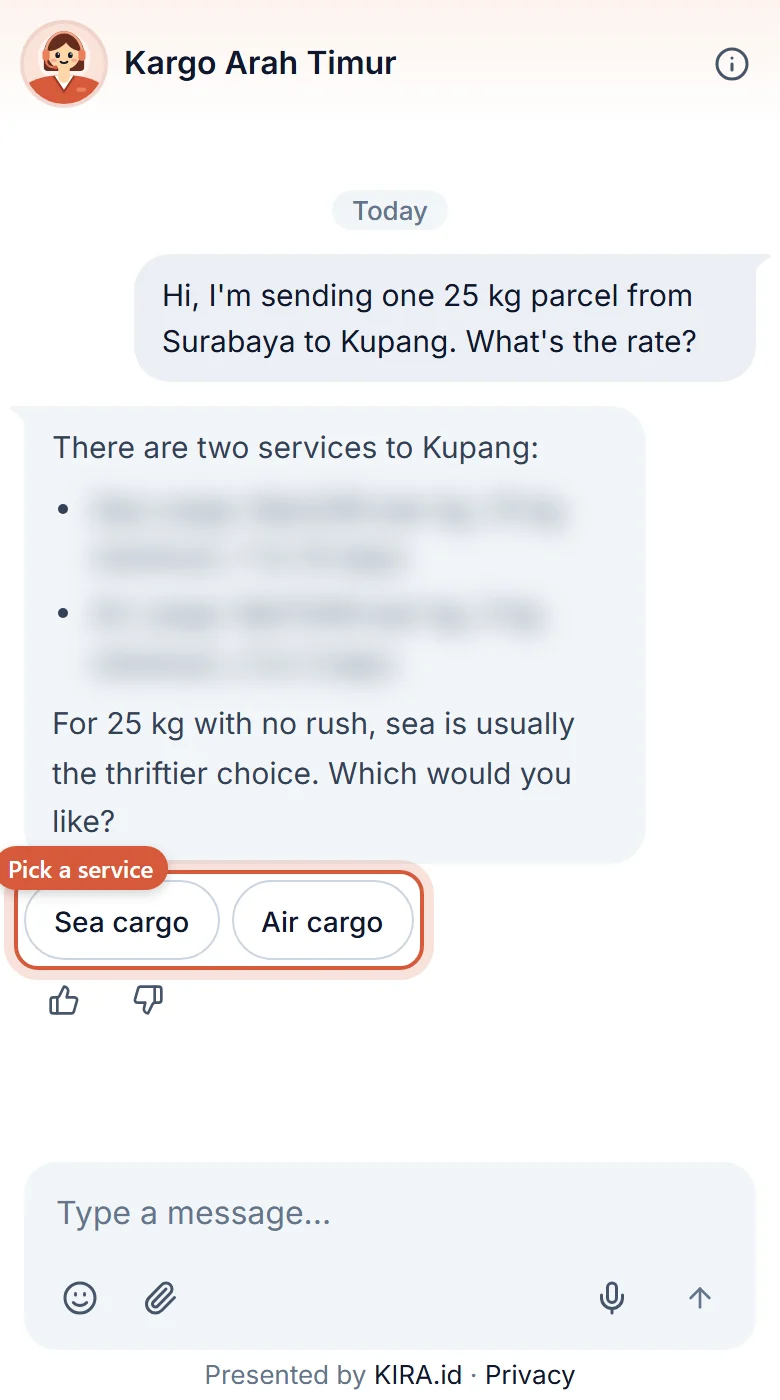
Put your rates in one Google Sheet, one tab per service, and add it as a Source. The AI quotes the per-kilo rate exactly as written, with the estimate and minimum weight, then offers the service choice as buttons. Every figure in a reply is checked against your sources before it's sent. A customer asking "what's your cheapest option to Ambon?" is answered from the same table, not from an admin's memory.
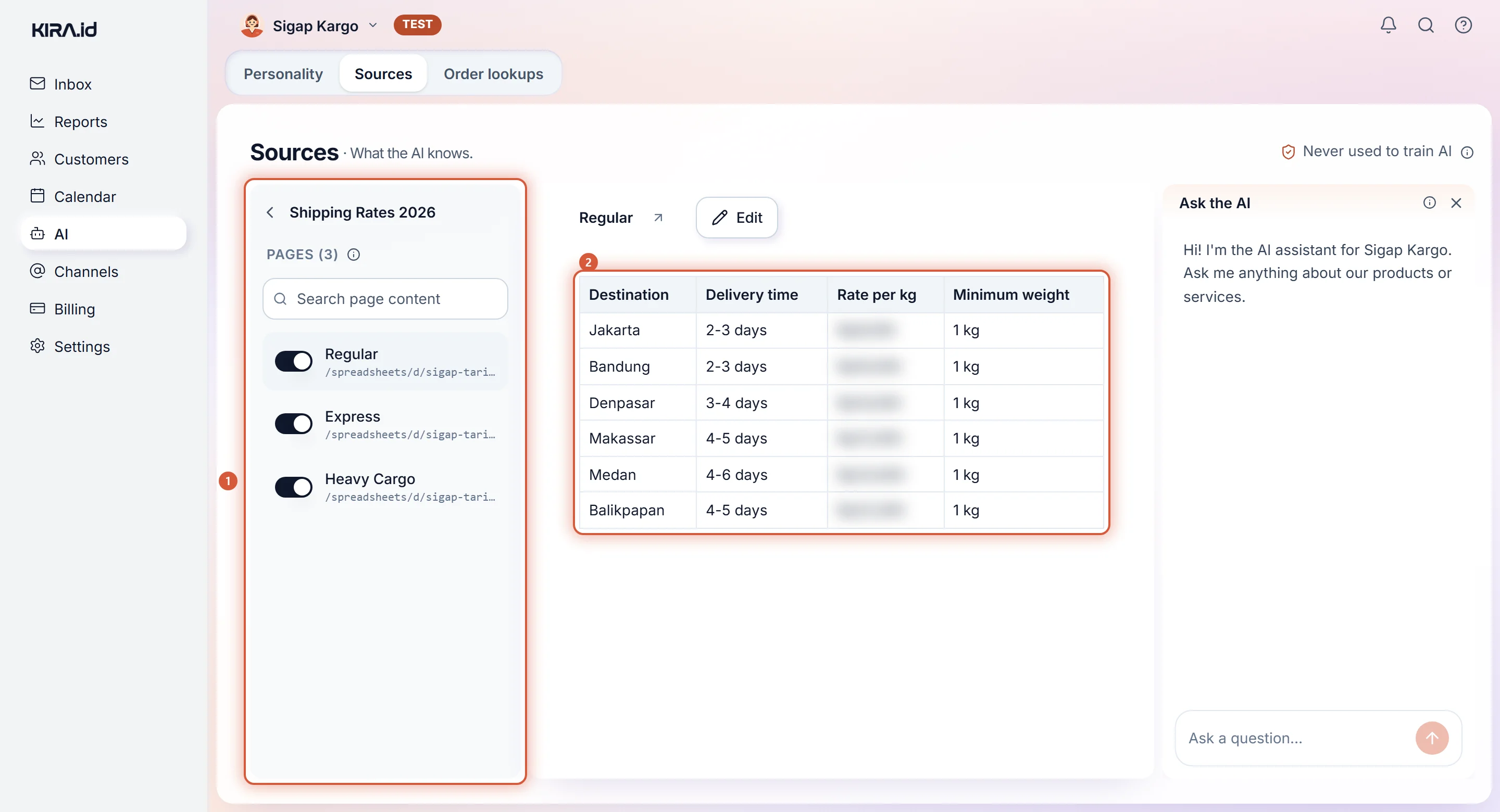
Now the part we chose on purpose: the AI doesn't calculate a total that isn't in your sheet. If the customer asks "so what's the total?" and that figure isn't written anywhere, the sentence with the number is cut and the customer goes to the team. Volumetric weight from the wardrobe's size isn't calculated by the AI either. Your team works it out from the measurements the form already collected, so there's no more "what are the measurements?" back and forth.
Why? Because one wrong digit in a quote costs more than one reply that waits for a person. If total questions come in often, write a table by weight band (say 10, 25 and 50 kg) in the same Sheet, and the AI can quote it directly. See Price lists for the AI.
| Admin asks by hand | Form and Sheet in KIRA.id | |
|---|---|---|
| The details needed | Asked one at a time | Asked once, in one card |
| Customer doesn't know the size yet | The chat stalls | Send what's known, the rest follows |
| Rate per kg | From memory or a photo of a table | Quoted exactly from the Sheet |
| Totals and volumetric weight | Often guessed | Worked out by the team from complete details |
| Admin changes mid-chat | Customer starts over | The details are on the ticket |
| Damaged or wet goods | Depends who replies | An upset customer is answered, then passed to the team |
They message your WhatsApp, the AI asks for origin, destination, weight and size, then quotes rates from your Sheet. Any total that isn't written down is worked out by the team.
No. The AI doesn't calculate figures that aren't in your sources. It collects the measurements, and your team does the sum.
It can name your cheapest service to a destination, from your rate table. It doesn't compare you with other companies.
On WhatsApp the questions come as lines of text and the customer types the answers. The card with input fields appears in the web chat.
Start with one quote flow and one rate Sheet. The full recipe is in the Couriers, cargo, and freight guide. Also read customer service for couriers, lost and damaged parcel complaints, and for forwarders, don't let WhatsApp leads slip away. Want help building the Sheet? Get in touch.